Microsoft Teams Workflows brings a simplified part of Power Automate into Teams. It automates workplace tasks through prebuilt templates or customized flows, using connectors to link Teams with other applications and services. section 7.3
A typical workflow setup follows these practical steps:
- Open the target Teams channel, choose Workflows, and enter the main Workflows area. section 7.3.1
- Browse connectors, triggers, actions, and the AI Automation templates. section 7.3 section 7.3.1
- Check connector authorization, configure senders and recipients, create the flow, and manage its settings. section 7.3.1
Analyze email sentiment and notify Teams
Choose the AI Automation template “Analyze email sentiment with AI Builder and send results to Teams.” Select which senders to monitor, choose a recipient, authorize the connectors, and create the flow. When it runs, the Workflows bot sends results in Teams. Review the settings before relying on the notifications. section 7.3.1
Figure 7.8 Accessing AI templates in Teams
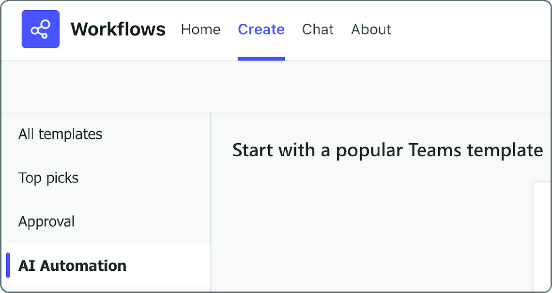
Use the workflow interface figures to follow the path from Teams channel access to AI template selection, connector validation, and workflow management. section 7.3.1
