GPT Builder is an interface for creating custom GPT assistants for specialized, repeatable tasks. You describe the assistant’s job, provide instructions and data, and reuse the resulting assistant whenever needed. section 9.3.1
Create a custom GPT through the ChatGPT web interface:
- Open ChatGPT, choose Explore GPTs, and click Create. section 9.3.1
- Describe the specialist you want, such as a headline writer that creates catchy blog-post titles. section 9.3.1
- Accept or edit the suggested name and icon. section 9.3.1
- Add detailed guidance covering output quantity, length, tone, vocabulary, and formatting. section 9.3.1
Headline Helper
A headline-writing GPT can be instructed to provide five titles suited to the blog message, avoid vulgarity and highly technical words, limit titles to nine words, and often include numbers. section 9.3.1
Refine a custom GPT by opening My GPTs, selecting the edit icon, and stating the desired change in the Builder. If the first revision does not work, repeat the instruction and test again. section 9.3.2
Figure 9.1 Click this icon to edit one of your GPTs.
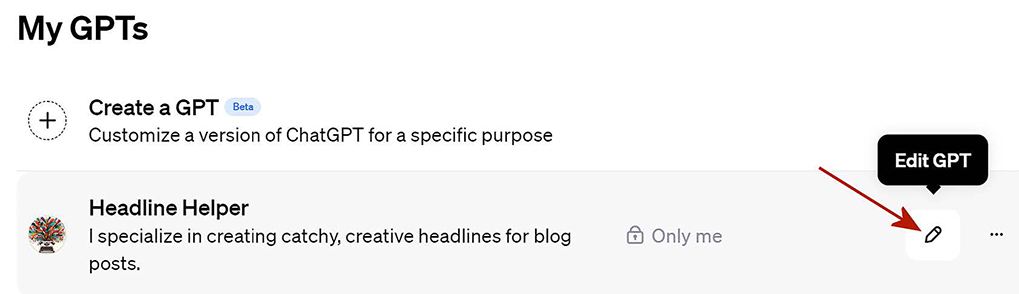
The figure identifies the icon used to edit an existing GPT. section 9.3.2
