.NET is a Microsoft software development platform for building and running applications and services. For web APIs, ASP.NET Core provides a high-performance, cross-platform, open-source framework with architecture, request/response pipelines, asynchronous programming, and routing. section 1.2
A practical web API setup uses these pieces:
- Install the .NET SDK, .NET runtime, and ASP.NET Core runtime, unless the development environment installs them automatically. section 2.6
- Use Visual Studio 2022 to create an ASP.NET Core web API project from its template. section 2.3
- Select .NET 6.0 for the project, while allowing for source changes when using another framework version. section 1.2 section 2.3
- Let the template provide startup, settings, configuration, model, and controller files as an initial application structure. section 2.6
Create and verify a web API
Create a project named MyBGList from the ASP.NET Core web API template, accept the default settings, and run it with F5. Visual Studio opens a browser at a local HTTPS address and displays the generated start page mentioning Swagger. The template can then be adapted by replacing the weather-forecast sample with board-game classes. section 2.3 section 2.6
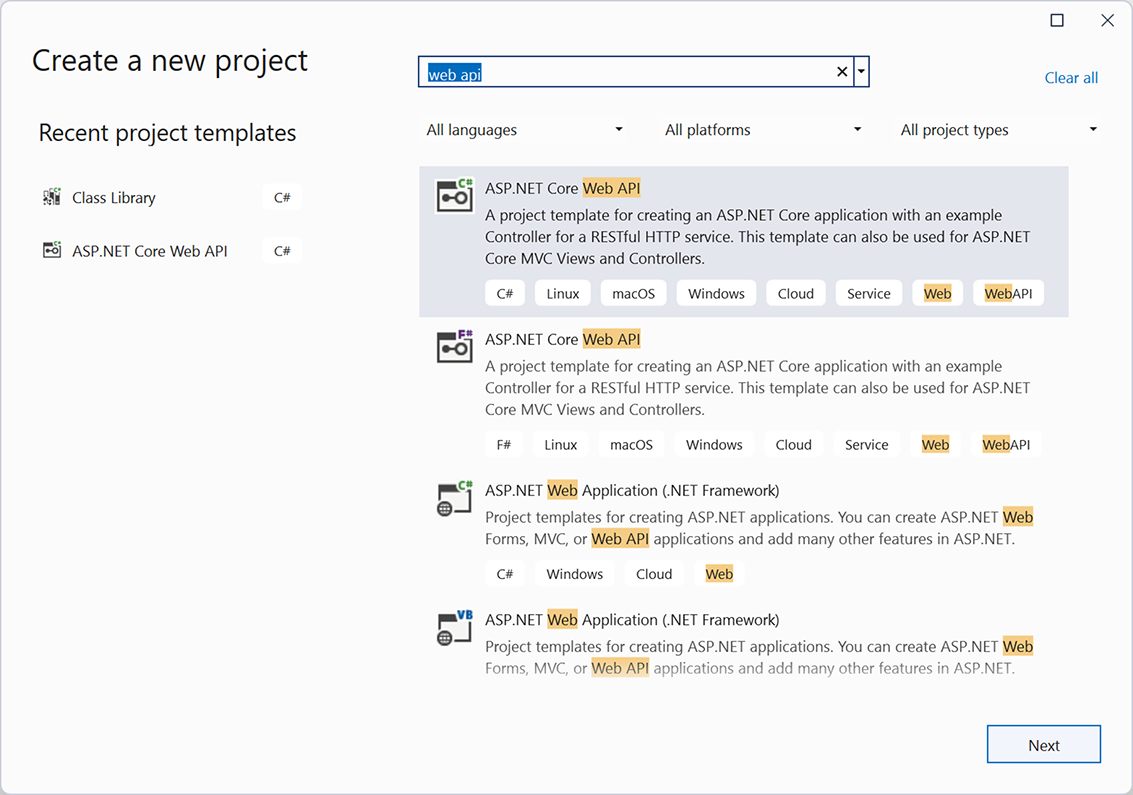
Use the project-template view to identify the ASP.NET Core web API template before configuring the application. section 2.3




