Open
Open is an operation that establishes access to a named file or other I/O resource and returns an associated handle or object.
A Pythonic Adventure: From Python basics to a working web app
The Python open function opens a file and returns an object representing the resulting file connection.
- How it is used
- Connects menu and order programs to named files for reading choices or saving orders.
- How deep it goes
- Defines file handles and modes through read, readlines, JSON writing, and close examples without detailing file-system internals.
- Examples
- Uses drinks, flavors, and toppings text files, plus an orders.json dictionary saved with json.dump().
- What you can do after
- Apply it via Python file methods and json.dump() to load menu choices and save structured orders.
Read how A Pythonic Adventure: From Python basics to a working web app explains open →
Tiny Python Projects: Learn coding and testing with puzzles and games
open() is a Python built-in function that opens a file and returns a file object for performing input or output.
- How it is used
- Reads and writes text files, normalizes file-or-command-line input, and routes program output to files or STDOUT.
- How deep it goes
- Explains handles, modes, chaining, exhaustion, overwriting, closing, and memory costs without developing lower-level I/O internals.
- Examples
- Uses inputs/fox.txt, out.txt, hagrid.txt, command-line text, and inputs/exercises.csv as concrete file-processing examples.
- What you can do after
- Apply it via Python to read, write, append, validate, normalize, and route text-file data in small command-line programs.
Read how Tiny Python Projects: Learn coding and testing with puzzles and games explains open →
Python Workout: 50 ten-minute exercises
open is a Python built-in function that creates and returns a file object for accessing a named file in a specified mode.
- How it is used
- Processes text, binary data, logs, configuration files, CSV, and JSON through a common file-like interface.
- How deep it goes
- Explains modes, file-like objects, iteration, buffering, context-managed cleanup, and chunked binary reads.
- Examples
- Uses line iteration, binary chunk reads, CSV writing, and explicit newline selection as concrete applications.
- What you can do after
- Apply it via Python to read, write, append, iterate through, and stream files while managing closure safely.
Read how Python Workout: 50 ten-minute exercises explains open →
The Quick Python Book, Fourth Edition
open() is Python's built-in function for opening a file and returning a file object.
- How it is used
- Opens files for reading or writing through file objects.
- How deep it goes
- Explains access modes and file-object use, but defers details of buffering and advanced modes.
- Examples
- Demonstrates reading a line from myfile, writing Hello, World, and handling invalid UTF-8 bytes.
- What you can do after
- Apply it via Python’s built-in open() to read, overwrite, or append files.
Read how The Quick Python Book, Fourth Edition explains open →
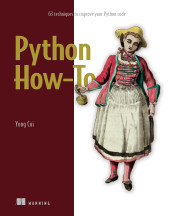
Python How-To
open is a Python built-in function that opens a file and returns a file object for reading, writing, or other supported operations.
- How it is used
- Connects Python programs to text or binary files for reading, writing, appending, and preserving data.
- How deep it goes
- Explains file objects, encodings, modes, reading and writing methods, context-manager cleanup, and binary operation for pickle.
- Examples
- Uses task lists, tasks.txt, newly created files, appended tasks, and pickled tuples and dictionaries.
- What you can do after
- Operate/configure file access by selecting a mode, processing contents, and ensuring resources close correctly.
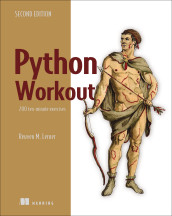
Python Workout, Second Edition
open is Python's built-in function for opening a file and returning a file object for reading, writing, or appending.
- How it is used
- Opens files and supplies a uniform file-like interface for common reading, writing, appending, and iteration tasks.
- How deep it goes
- Explains modes, iteration, binary access, and chunked reads, but does not develop filesystem-specific behavior.
- Examples
- Demonstrates line iteration, binary line access, fixed-size byte chunks, and the final-line iteration state.
- What you can do after
- Apply it via Python’s built-in function to read files line by line or process binary data in chunks.
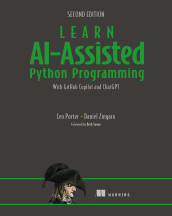
Learn AI-Assisted Python Programming, Second Edition
The Python open function creates a file object for accessing a named file with a specified mode.
- How it is used
- Opens datasets stored in files so Python can read and process their contents.
- How deep it goes
- Defines the file object, default read mode, line reading, field splitting, and closing, but not lower-level file internals.
- Examples
- Uses nfl_offensive_stats.csv to inspect headers, read player rows, and total quarterbacks’ passing yards.
- What you can do after
- Apply it via Python to open a dataset, read lines, extract fields, and close the file.
Read how Learn AI-Assisted Python Programming, Second Edition explains open →
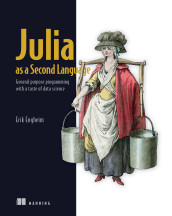
Julia as a Second Language
open is a Julia function that establishes access to a file or other stream and returns an associated IO object.
- How it is used
- Establishes file, terminal, or process access so Julia can read and write through IO objects.
- How deep it goes
- Covers reading, writing, automatic closing, command execution, and the distinction between Process and IOStream capabilities.
- Examples
- Uses formatted text files, rocket-engine CSV output, and Unix grep output consumed through a Process connection.
- What you can do after
- Apply it via Julia to read files, write structured output, or consume output from an external process.
Get Programming: Learn to code with Python
open is Python's built-in function for opening a file and returning a file object.
- How it is used
- Uses filenames to create file objects whose contents can feed reading, cleaning, and analysis functions.
- How deep it goes
- Explains filename-based opening, reading modes, file objects, and closing, without treating file handling internals.
- Examples
- Demonstrates reading friends.txt into names and phone numbers, then reading an entire sonnet into a string.
- What you can do after
- Apply it to open text files, pass file objects to functions, read contents, and close files after use.
Read how Get Programming: Learn to code with Python explains open →
Related concepts
- file objectproduces · A file object is a program-accessible representation of an open file or stream, including its access state and input/output operations.
- bufferingconfigured by · Buffering is the temporary storage of data or work between production and consumption to accommodate differences in processing rates, absorb interruptions, or improve transfer efficiency.
- file-like objectproduces · A file-like object is an object that exposes operations resembling file operations, such as reading or writing, whether or not it is backed by a filesystem file.
These guides are generated from the text of Manning books by Manning's knowledge graph and link to the sections they draw on. The full books are available on liveBook and at manning.com.