A presentation is a structured explanation delivered to an audience. For a lead developer, it might be a demo, a technical walkthrough, training, or a proposal to a client. Its purpose determines the takeaway: help people understand a topic, make a decision, or take action. A clear presentation can build trust; a confusing one can send a team toward the wrong work. section 3.3 section 8.2
Prepare for the people in the room, not just the topic:
- Decide on one takeaway or a few key points. Research the subject, and check what the audience already knows. section 3.3 section 3.4.2
- Make slides early enough to revise them. Start with an agenda, end with a summary and next steps, and keep text, charts, images, and code examples readable. section 3.3.2 section 3.4.2
- Rehearse aloud and check your timing. Record a practice run or ask a colleague for feedback; arrive early to test the room or video setup. section 3.3.1
Delivery is a conversation, not a reading of the slides. Ask what people hope to learn, invite questions, and adjust if beginners need more context than expected. Nervousness is normal; practice and preparation can make it easier to manage. section 3.3.3 section 3.3.1
Presenting a technical approach to a client
First, play back the client’s problem and confirm the requirements. Then explain the proposed solution and its benefits in simple language, using a diagram or short demo where helpful. Address likely questions about feasibility, risks, costs, and dependencies. In one unsuccessful meeting, a presenter missed ideas already developed by the client’s technical expert; the resulting pushback delayed the discussion until both sides clarified the requirements. section 8.2.3 section 8.5.3
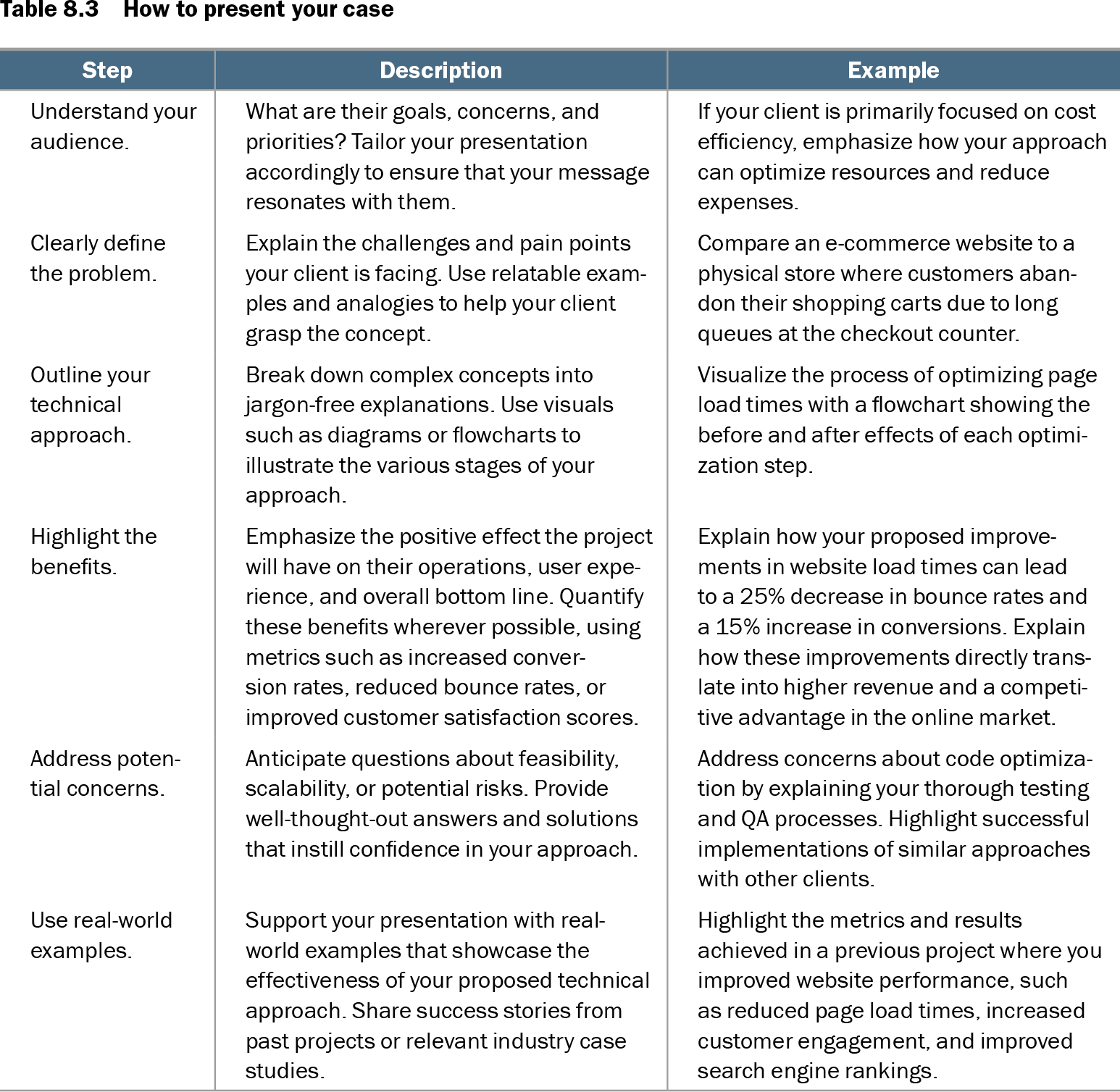
Table 8.3 How to present your case (view table figure)
| Step |
Description |
Example |
|---|---|---|
| Understand your audience. |
What are their goals, concerns, and priorities? Tailor your presentation accordingly to ensure that your message resonates with them. |
If your client is primarily focused on cost efficiency, emphasize how your approach can optimize resources and reduce expenses. |
| Clearly define the problem. |
Explain the challenges and pain points your client is facing. Use relatable examples and analogies to help your client grasp the concept. |
Compare an e-commerce website to a physical store where customers abandon their shopping carts due to long queues at the checkout counter. |
| Outline your technical approach. |
Break down complex concepts into jargon-free explanations. Use visuals such as diagrams or flowcharts to illustrate the various stages of your approach. |
Visualize the process of optimizing page load times with a flowchart showing the before and after effects of each optimization step. |
| Highlight the benefits. |
Emphasize the positive effect the project will have on their operations, user experience, and overall bottom line. Quantify these benefits wherever possible, using metrics such as increased conversion rates, reduced bounce rates, or improved customer satisfaction scores. |
Explain how your proposed improvements in website load times can lead to a 25% decrease in bounce rates and a 15% increase in conversions. Explain how these improvements directly translate into higher revenue and a competitive advantage in the online market. |
| Address potential concerns. |
Anticipate questions about feasibility, scalability, or potential risks. Provide well-thought-out answers and solutions that instill confidence in your approach. |
Address concerns about code optimization by explaining your thorough testing and QA processes. Highlight successful implementations of similar approaches with other clients. |
| Use real-world examples. |
Support your presentation with real-world examples that showcase the effectiveness of your proposed technical approach. Share success stories from past projects or relevant industry case studies. |
Highlight the metrics and results achieved in a previous project where you improved website performance, such as reduced page load times, increased customer engagement, and improved search engine rankings. |
A step-by-step table pairs client-presentation tactics with examples, including tailoring the message to cost concerns and explaining a problem through an everyday analogy. section 8.2.3
Before presenting, be able to answer two questions: What does this audience need to understand, and what should happen next? Let those answers guide the content, visuals, and conversation. section 3.3 section 3.3.2