A quick fix is an automated or semi-automated code transformation offered in response to a diagnostic. It may simplify code while preserving its current semantics, but it may also leave the underlying bug untouched. Investigate the warning’s root cause before applying one. section 1.3.2
A warning that needs investigation
For an incorrect shift amount, an analyzer may suggest changing the operation to x << 0. That preserves the existing semantics but is unlikely to fix the problem; the intended correction might require a different constant or the long type, where shifting by 32 bits makes sense. section 1.3.2
Use quick fixes as review prompts rather than unquestionable repairs:
- Check whether the suggested transformation changes the behavior that caused the warning or merely hides it. section 1.3.2
- For expressions mixing addition and bitwise shifts, add explicit parentheses and verify the intended precedence. section 2.1.1
- Prefer multiplication or division when they make the intent clearer; modern JVM compilers can rewrite them to shifts when appropriate. section 2.1.1
- Use analyzer menus to inspect context, edit inspection settings, suppress a warning, or disable an inspection only deliberately. section 1.3.2
Figure 1.4 IntelliJ IDEA built-in static analyzer warning about incorrect shift amount
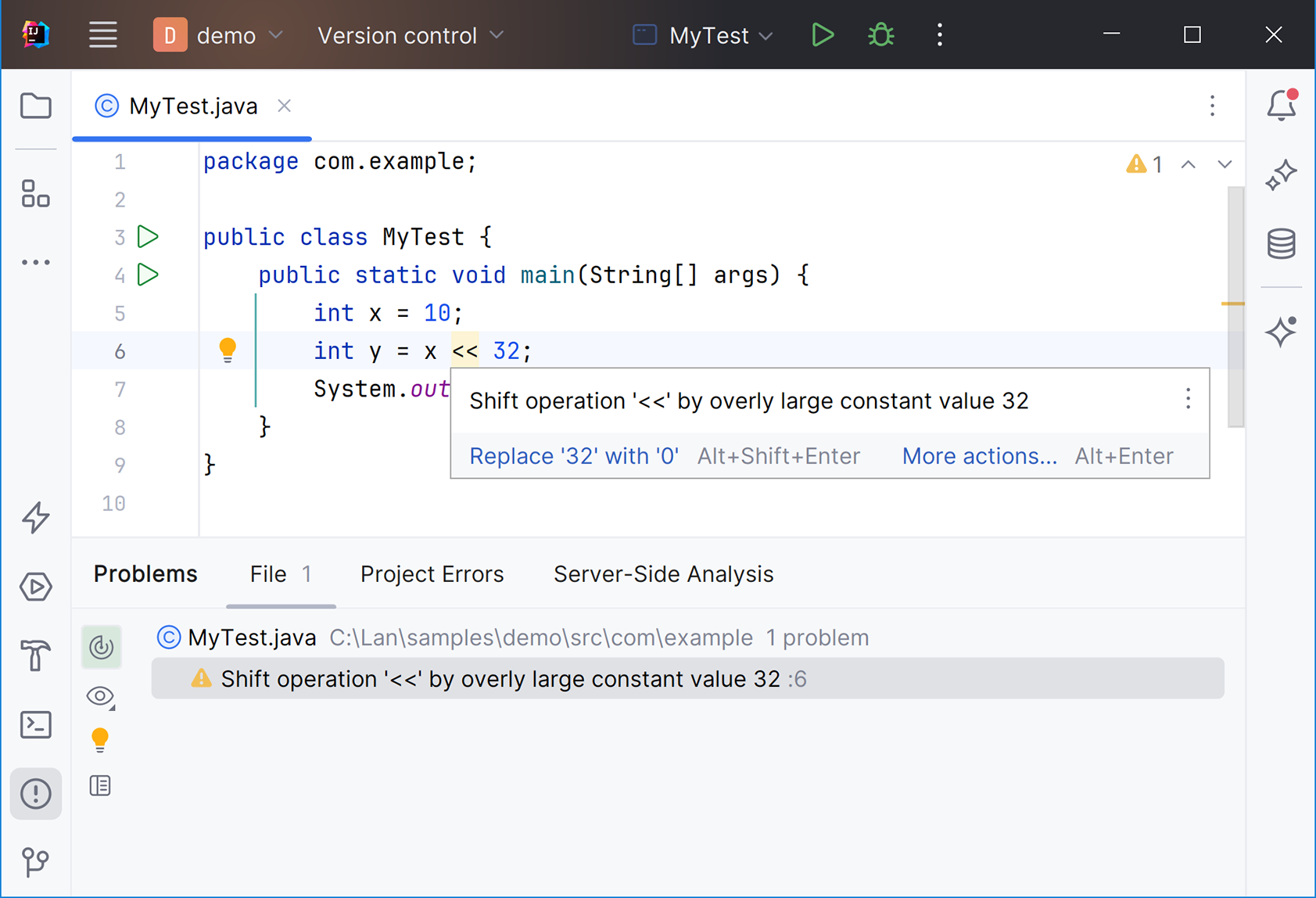
An IDE warning about an incorrect shift amount illustrates the diagnostic context in which a quick fix appears. section 1.3.2
Figure 1.5 A static analysis additional warning menu that allows you to suppress the warning, edit inspection options, or disable the inspection
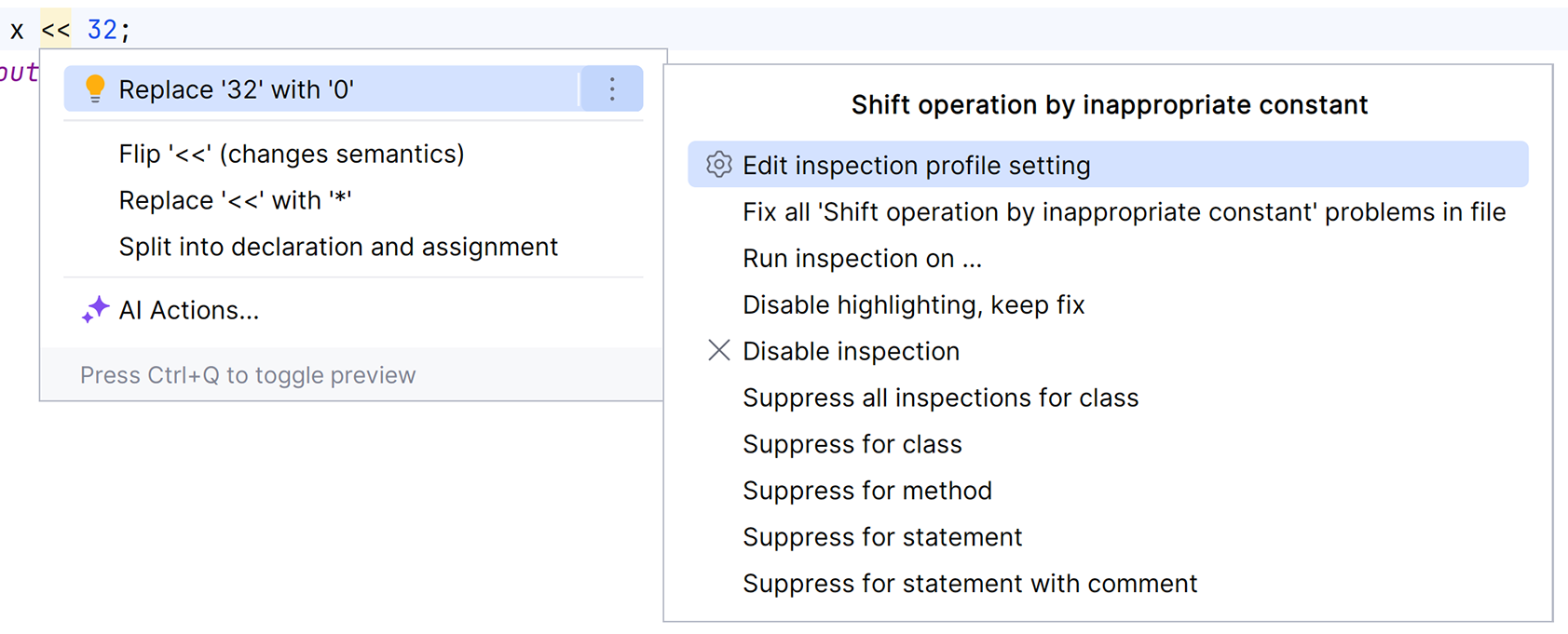
The additional-warning menu exposes quick fixes alongside inspection configuration, suppression, and disabling controls. section 1.3.2
