A screen reader turns interface content into spoken output and helps users understand a website’s structure. Accessible HTML attributes, ARIA roles, and descriptive labels give it clearer information to announce. section 8.6.2 section 8.3.4
When building or checking a website, improve screen-reader access by:
- Choosing a theme described as accessibility-ready and checking its frontend for ARIA roles such as list box, option, group, or presentation. section 8.6.2
- Using the browser Inspector or Web Developer extension to inspect the roles assigned to page content. section 8.6.2
- Running a Lighthouse accessibility analysis after activating a WordPress theme. section 8.6.2
- Adding a useful title to embedded video so the screen reader can identify what the video contains. section 8.3.4
- Avoiding autoplay, whose sudden audio can interrupt content that the screen reader is reading. section 8.3.4
Describing an embedded video
An iframe title such as “YouTube video player” gives screen-reader users a spoken label for the embedded content. Leaving autoplay out prevents unexpected audio from competing with other page content. section 8.3.4
You would likely find this Web Developer extension valuable when building and maintaining a site.
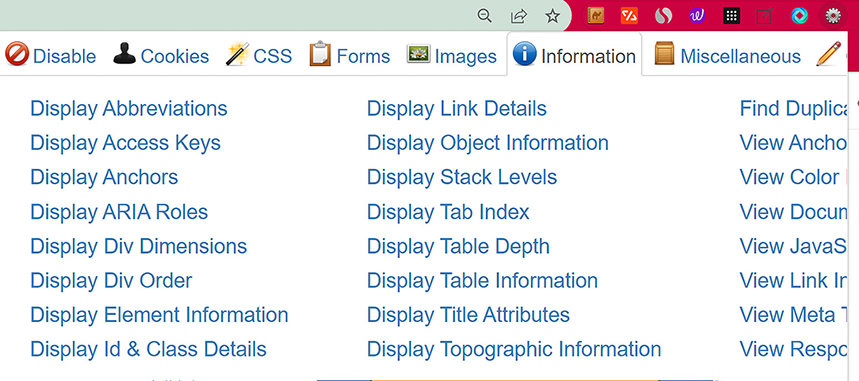
Use the Web Developer extension’s Information tools to view ARIA roles while building and maintaining a site. section 8.6.2


