liveBook · Manning

CSS selector

As explained in BDD in Action, Second Edition

A CSS selector is a pattern for selecting elements in a web document based on element names, classes, attributes, relationships, and other criteria.

A CSS selector is a pattern for locating web elements by class, ID, tag, attribute, position, or relationships between nested elements. In UI acceptance tests, selectors provide flexible targets when clean IDs or names are unavailable. section 10.2.12

Common selector forms include:

  • .class and #id match elements by class or ID, while tag matches elements such as img. section 10.2.12
  • .navbar a and .navbar-header > a select nested elements, respectively anywhere inside or directly under a container. section 10.2.12
  • Attribute selectors can match exact values, prefixes, suffixes, or contained text, such as a[href$="book"]. section 10.2.12
  • Use By.cssSelector() with WebDriver, then use findElements when a requirement checks a collection. section 10.2.12 section 10.2.12

Checking featured destinations

Given three featured destinations appear on the home page, select them with .featured-destination and assert the collection size. To verify Singapore, narrow the search with #featured .destination-title, collect each element's text, and assert that the results contain Singapore. section 10.2.12

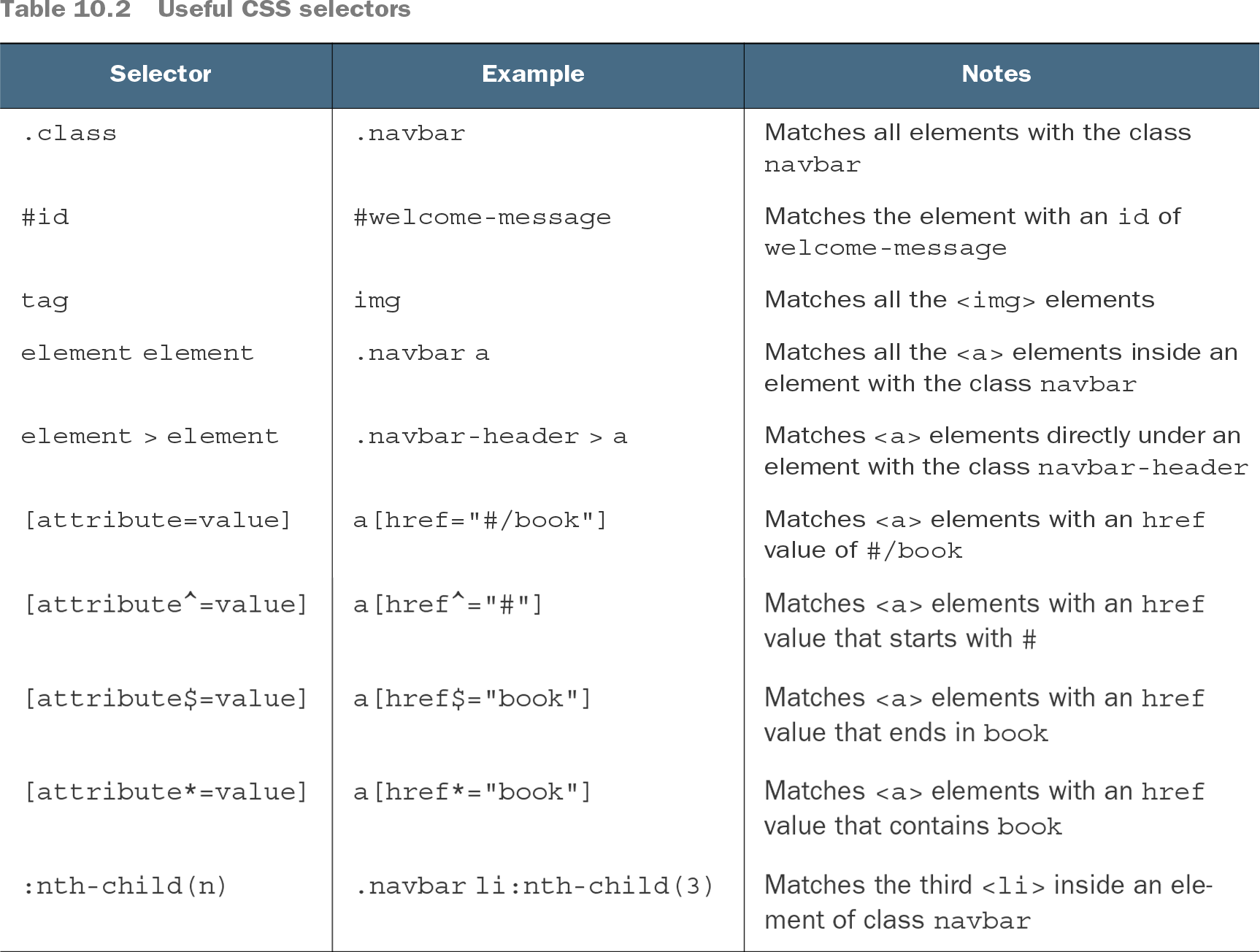
Table 10.2 Useful CSS selectors (view table figure)

Selector

Example

Notes

.class

.navbar

Matches all elements with the class navbar

#id

#welcome-message

Matches the element with an id of welcome-message

tag

img

Matches all the <img> elements

element element

.navbar a

Matches all the <a> elements inside an element with the class navbar

element > element

.navbar-header > a

Matches <a> elements directly under an element with the class navbar-header

[attribute=value]

a[href="#/book"]

Matches <a> elements with an href value of #/book

[attribute^=value]

a[href^="#"]

Matches <a> elements with an href value that starts with #

[attribute$=value]

a[href$="book"]

Matches <a> elements with an href value that ends in book

[attribute*=value]

a[href*="book"]

Matches <a> elements with an href value that contains book

:nth-child(n)

.navbar li:nth-child(3)

Matches the third <li> inside an element of class navbar

Browse the selector table for class, ID, tag, relationship, attribute, and positional forms with examples and matching behavior. section 10.2.12


How BDD in Action, Second Edition covers it

How deep it goes
Explains selector syntax through tables and nested-element examples, then stops short of broader CSS language coverage.
Examples
Uses welcome messages, navigation links, login fields, and featured destinations including Singapore.
What it assumes
Assumes familiarity with web pages and WebDriver while demonstrating selector syntax through concrete HTML structures.
What you can do after
Apply via WebDriver's By.cssSelector() method to locate single elements or collections and assert their content or count.
How it connects
Connects CSS selectors with WebDriver API, HTML attributes, nested elements, acceptance criteria, and XPath.

Also explained in

Compare how 8 books explain CSS selector →

Related concepts

This explainer was generated by Manning's knowledge graph from the text of BDD in Action, Second Edition. The section links point to the parts of the book it draws on.