A CSS selector is the part of a style rule that chooses which web page elements receive the declarations inside the braces. Think of it as the browser’s “which ones?” instruction. In `h1 { font-size: 36px; }`, `h1` selects every `<h1>` element on the current page. section 2.3
Selectors can become more precise as your page grows:
- Use an element selector such as `h1` to target every element of that type. section 2.3
- Combine an element and class, such as `p.footnote`, to target only paragraphs assigned the `footnote` class. section 19.8
- Use descendant and child combinations, such as `p.footnote a.external` or `p.footnote > a`, to reach links inside matching paragraphs. section 19.8
- Separate selectors with commas when several targets share one rule, as in `.pullquote, .sidebar`. section 19.8
A heading with two styles
```css h1 { font-size: 36px; text-align: center; } ``` The selector `h1` tells the browser to style every main heading. The declarations then make those headings larger and centered. Add a second selector when different groups should receive the same treatment: ```css .pullquote, .sidebar { color: #444; background-color: #ccc; } ``` section 2.3 section 19.8
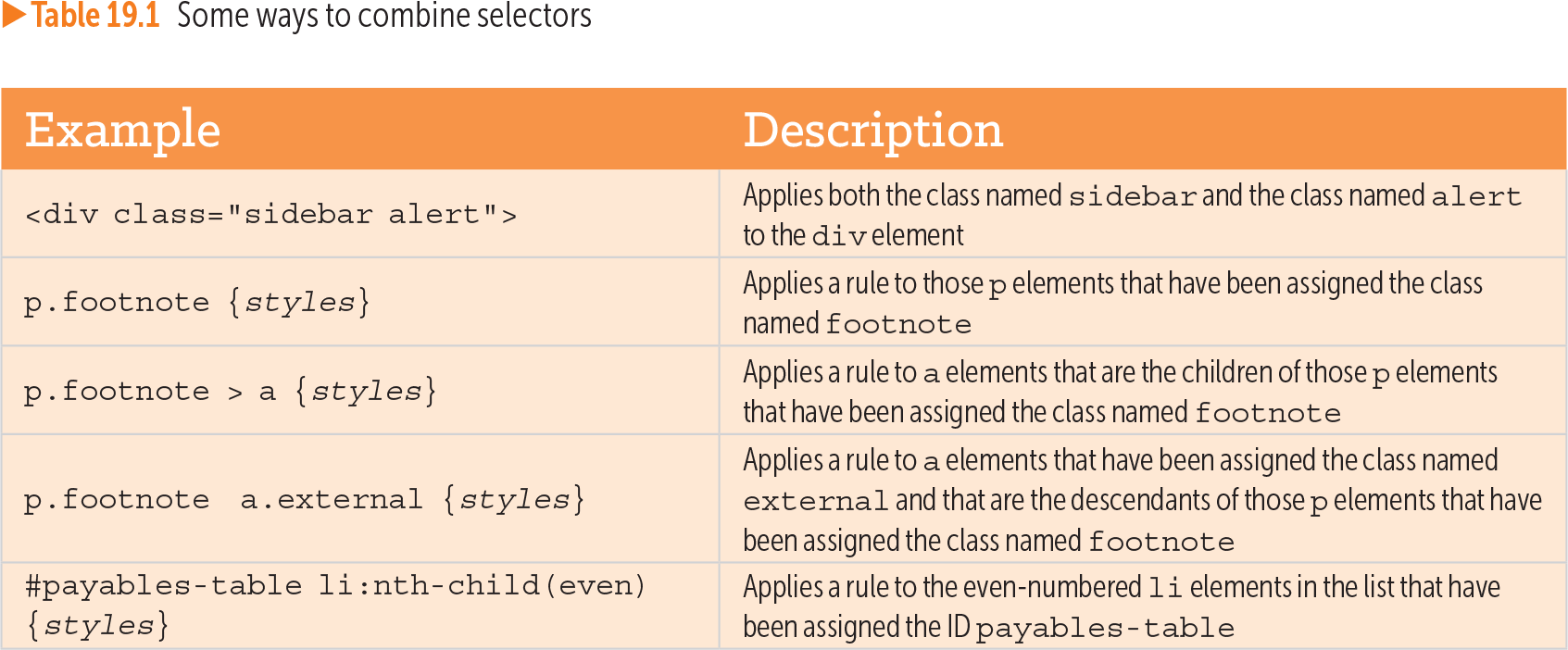
Table 19.1 Some ways to combine selectors (view table figure)
| Example |
Description |
|---|---|
| <div class="sidebar alert"> |
Applies both the class named sidebar and the class named alert to the div element |
| p.footnote {styles} |
Applies a rule to those p elements that have been assigned the class named footnote |
| p.footnote > a {styles} |
Applies a rule to a elements that are the children of those p elements that have been assigned the class named footnote |
| p.footnote a.external {styles} |
Applies a rule to a elements that have been assigned the class named external and that are the descendants of those p elements that have been assigned the class named footnote |
| #payables-table li:nth-child(even) {styles} |
Applies a rule to the even-numbered li elements in the list that have been assigned the ID payables-table |
Browse the selector-combination table for examples using classes, descendants, child elements, IDs, and even-numbered list items. section 19.8