A sidebar is a narrow vertical strip beside or below the main content. Use it for information visitors should find across the site, such as hours, maps, menus, or testimonials. section 5.9
Plan and configure a sidebar in WordPress:
- Choose content that benefits from repeated visibility, then decide which pages should display it. section 5.9
- Open Appearance > Widgets and review the sidebar locations provided by the theme. section 5.9
- Add or open a widget, configure its settings, and place it in the selected sidebar. section 5.9
- Use Widget Visibility when different pages need different widgets; check the frontend afterward. section 5.9
Restaurant sidebar
A restaurant site can place featured menu items in a right-side sidebar, or add a map, events calendar, sample posts, or testimonials. section 5.9
AI-generated time widget
A generated WordPress plugin can display the current Greenwich Mean Time and date in a light-blue sidebar widget. Save the PHP file, compress it, upload and activate the plugin, then add its widget through Appearance > Widgets. Refresh the frontend to verify the time updates. section 5.10.1
Figure 5.13 A sidebar can contain specialized content, such as this restaurant’s currently featured menu items.
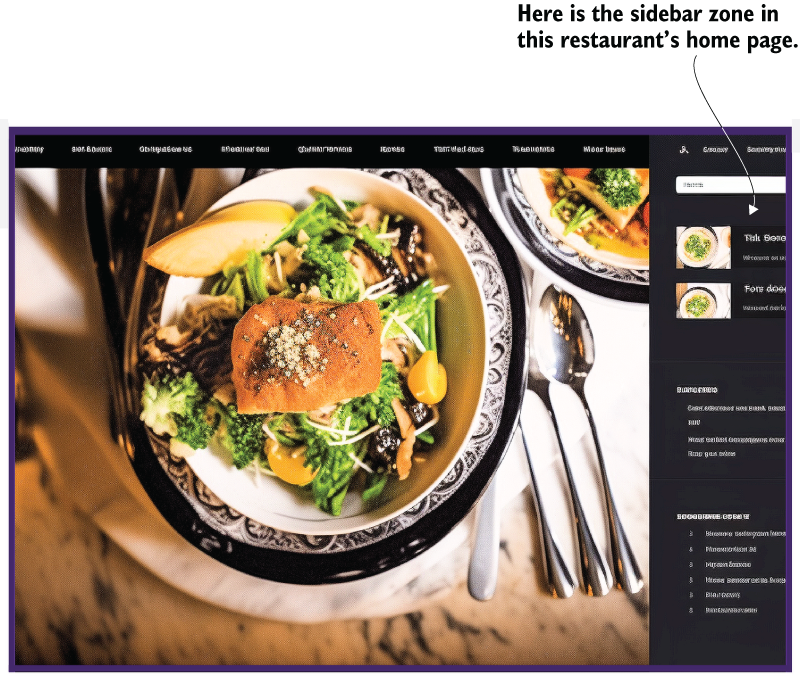
View a restaurant layout showing how specialized content can occupy the sidebar. section 5.9

