Single sign-on (SSO) lets a user access multiple applications after authenticating once. A shared identity provider (IdP) manages the login and lets protected applications verify that the user is authenticated. For example, a user signed in to a Google account can use Sign in with Google on participating websites. section 8.1
A typical sign-in flow works like this:
- A user requests a protected page. Finding no login information, the application redirects the user to the IdP’s login page. section 8.1
- After the user authenticates, the IdP redirects them back. A token sent with the redirect confirms authentication and can be kept in temporary storage, such as a browser cookie. section 8.1
- The token can authenticate the user with other applications protected by the same IdP. It eventually expires, though continued use can refresh it. section 8.1
Authentication establishes who a user is; authorization determines whether they may access a resource. OpenID Connect (OIDC) is commonly used for authentication, while OAuth can provide authorization alongside it. In an Aspire-hosted application, an internally hosted IdP can be reached through service discovery, and an authenticated UI can pass credentials and permission information to a backend API via a JWT. section 8.1 section 8.6
Figure 8.1 SSO flow
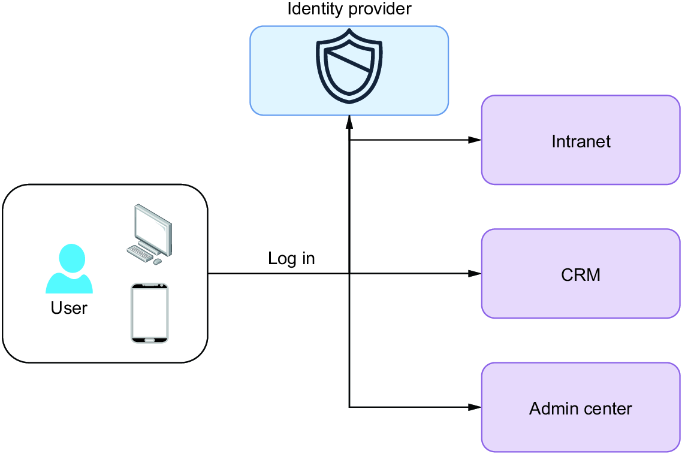
Follow the redirect from a protected application to the IdP and back to see where the shared sign-in takes effect. section 8.1


