Small multiples display one simple, repeated chart for each category in a grid or series. Think of them as the orderly alternative to putting every category into one crowded chart: each pane keeps the same basic structure, so the eye can move across the collection and look for differences. section 2.2.4 section 6.1.1
Their power comes from consistency. Repeating charts with the same orientation creates translational symmetry, letting viewers scan a sea of panes for patterns across countries, companies, product categories, or other groups. They work especially well when relative differences between categories matter more than reading every individual value precisely. section 2.2.4
Use small multiples when a single shared chart is becoming visual spaghetti:
- Split a crowded multiline chart into a grid of separate charts rather than assigning every category its own color. section 6.1.1 section 9.2.1
- Keep the chart form simple; line charts are a particularly suitable repeated form for comparing many categories. section 2.2.4
- Favor them for broad comparison and pattern finding, not for tasks that depend on inspecting tiny, exact values in each pane. section 2.2.4
- Use them even with a large number of categories when the alternative is a dense tangle of overlapping lines. section 6.1.1 section 6.4
Turning sales spaghetti into comparisons
A sales-by-category line chart can become hard to read when many colored lines share one plotting area. One fix is to give each line a separate row while retaining a common x-axis; another is to turn the categories into small multiples. The latter makes category-by-category shapes easier to compare without asking color to carry the whole burden. section 6.1.1 section 6.4
Small multiples do not automatically make a view quick or simple. A dense, information-rich grid can reward slow examination rather than a glance, and consistency makes that density navigable rather than magically effortless. If the goal is to compare a selected category with an overall measure, show the total in a lighter color within each pane to preserve context. section 2.2.4 section 9.2.2
A dashboard path from overview to detail
A dashboard can begin with cards for key performance indicators, then let a viewer choose a metric and a segment breakdown. The chosen metric can appear as small multiples, with the unsliced total shown lightly in every pane. This supports an overview-first flow while helping viewers judge each segment against the whole. section 9.2.2
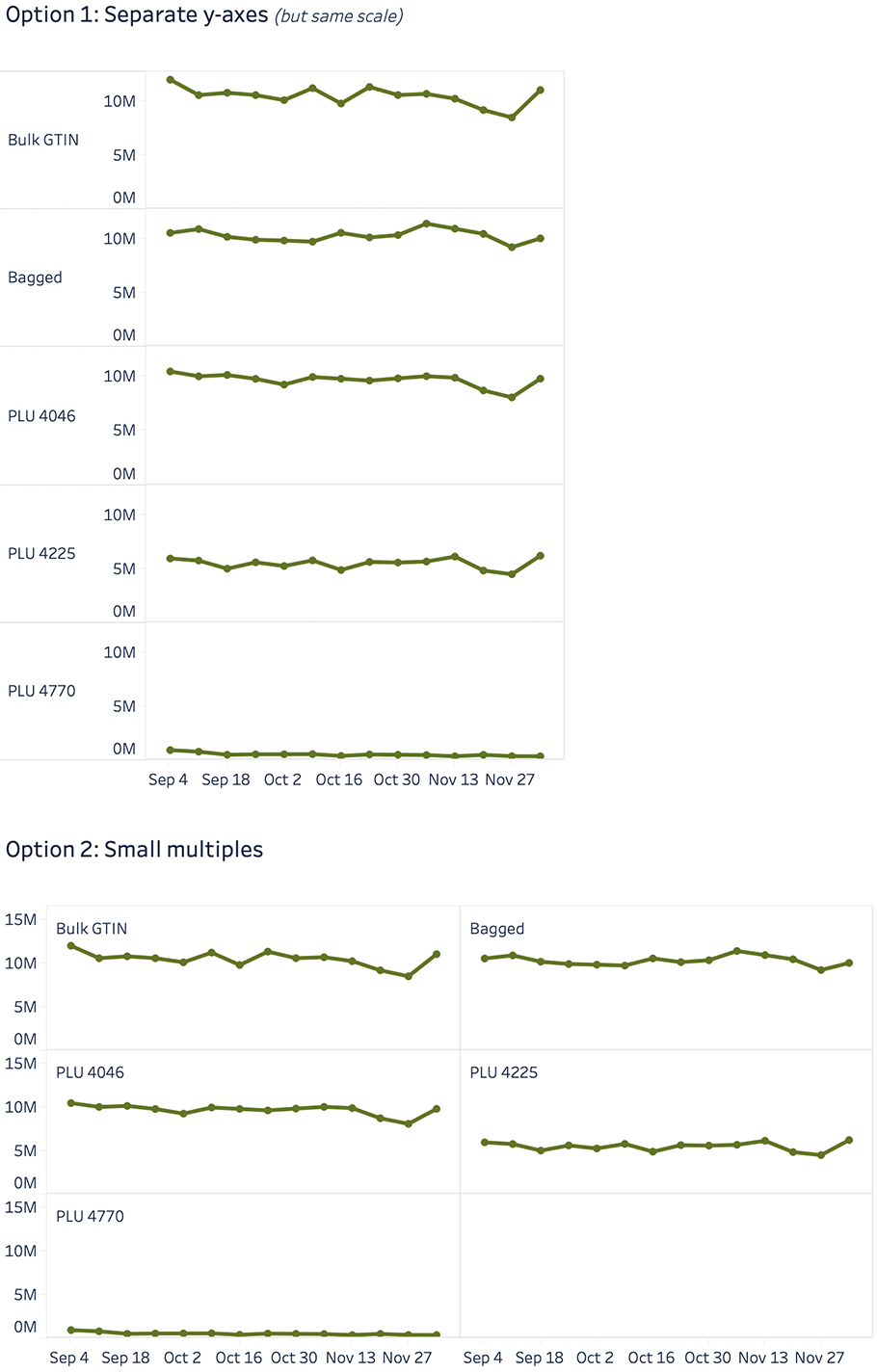
Compare two ways to untangle the same crowded category-by-time lines: separate rows or a small-multiples layout. section 6.1.1

