Simple Network Management Protocol (SNMP) centrally monitors and manages networked devices. An administrator can collect status and performance data, receive event alerts, and modify configurations without logging into every device’s CLI. Common managed devices include routers, switches, servers, PCs, laptops, and printers. section 6.0
SNMP performs three primary kinds of work:
- Read MIB variables with Get, GetNext, and GetBulk messages; the managed device returns a Response. section 6.1.1 section 6.2
- Modify MIB variables with Set messages, including centrally applying configuration changes, initiating reboots, or backing up configurations. section 6.1.1 section 6.4
- Notify the NMS about events with Trap or Inform messages, such as an interface going down. section 6.1.1 section 6.2
The main SNMP architecture separates management software from managed-device data and agents:
- The NMS contains an SNMP manager and one or more SNMP applications. The manager communicates with agents, while the application provides the administrator’s interface. section 6.1 section 6.1.2
- Each managed device contains an SNMP agent and a Management Information Base (MIB). The MIB stores variables such as interface status, CPU utilization, temperature, and routing-neighbor state. section 6.1 section 6.1.2
- Agents listen on UDP port 161, and managers listen on UDP port 162. Every MIB variable has a unique, hierarchically organized object identifier (OID). section 6.1.2 section 6.4
Interface monitoring and alerting
An NMS sends a Get message to a router to read the status of GigabitEthernet0/1. The router returns a Response showing the interface is down. If the interface subsequently changes state, the router can send a Trap to the NMS, which can notify an administrator by email or SMS. section 6.1.1
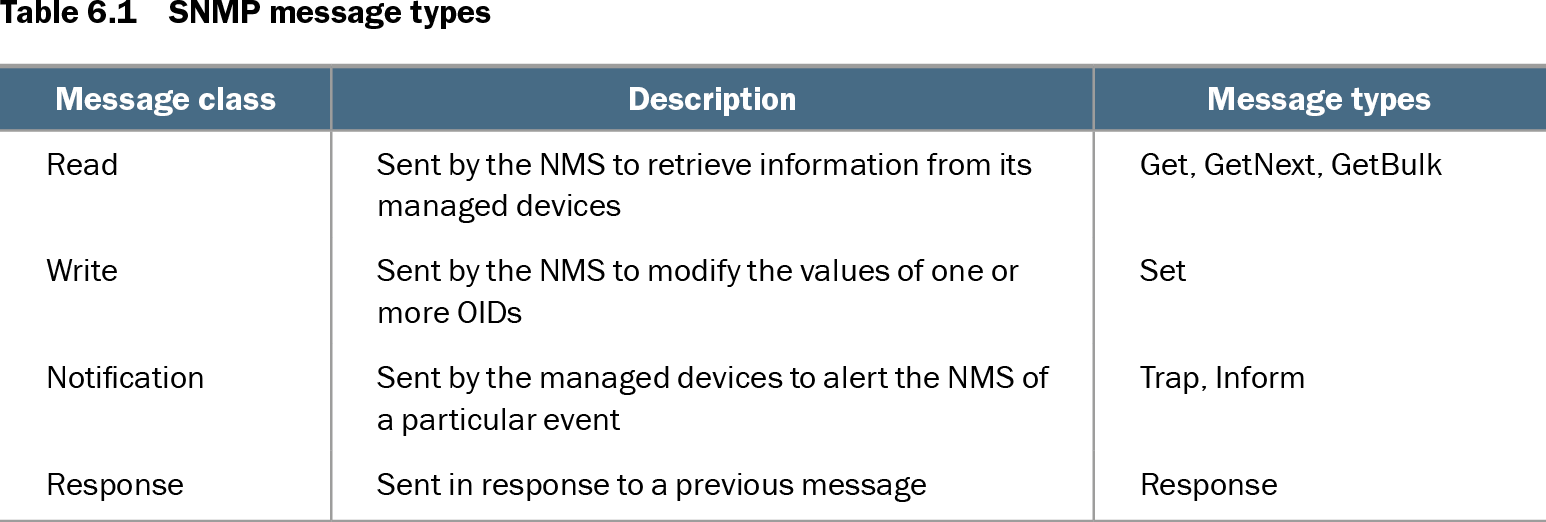
Table 6.1 SNMP message types (view table figure)
| Message class |
Description |
Message types |
|---|---|---|
| Read |
Sent by the NMS to retrieve information from its managed devices |
Get, GetNext, GetBulk |
| Write |
Sent by the NMS to modify the values of one or more OIDs |
Set |
| Notification |
Sent by the managed devices to alert the NMS of a particular event |
Trap, Inform |
| Response |
Sent in response to a previous message |
Response |
Use the message-class table to distinguish read, write, notification, and response traffic and to compare their message types. section 6.2
SNMP versions differ mainly in message support and security:
- SNMPv1 supports Get, GetNext, Set, Trap, and Response, using community strings without encryption. section 6.3
- SNMPv2c adds GetBulk and Inform while retaining community-string authentication and no encryption. section 6.3
- SNMPv3 retains the SNMPv2c message set and adds username/password hash-based authentication and encryption. section 6.3