liveBook · Manning

SonarLint

As explained in 100 Java Mistakes and How to Avoid Them

SonarLint is a code-quality tool that provides static analysis feedback in development environments and build workflows.

SonarLint is a free static analyzer installed as an IDE plugin or extension. It reports suspected problems directly in the editor and can analyze a whole project or a selected package. section 1.3.2 section 1.3.1

Incorrect shift amount

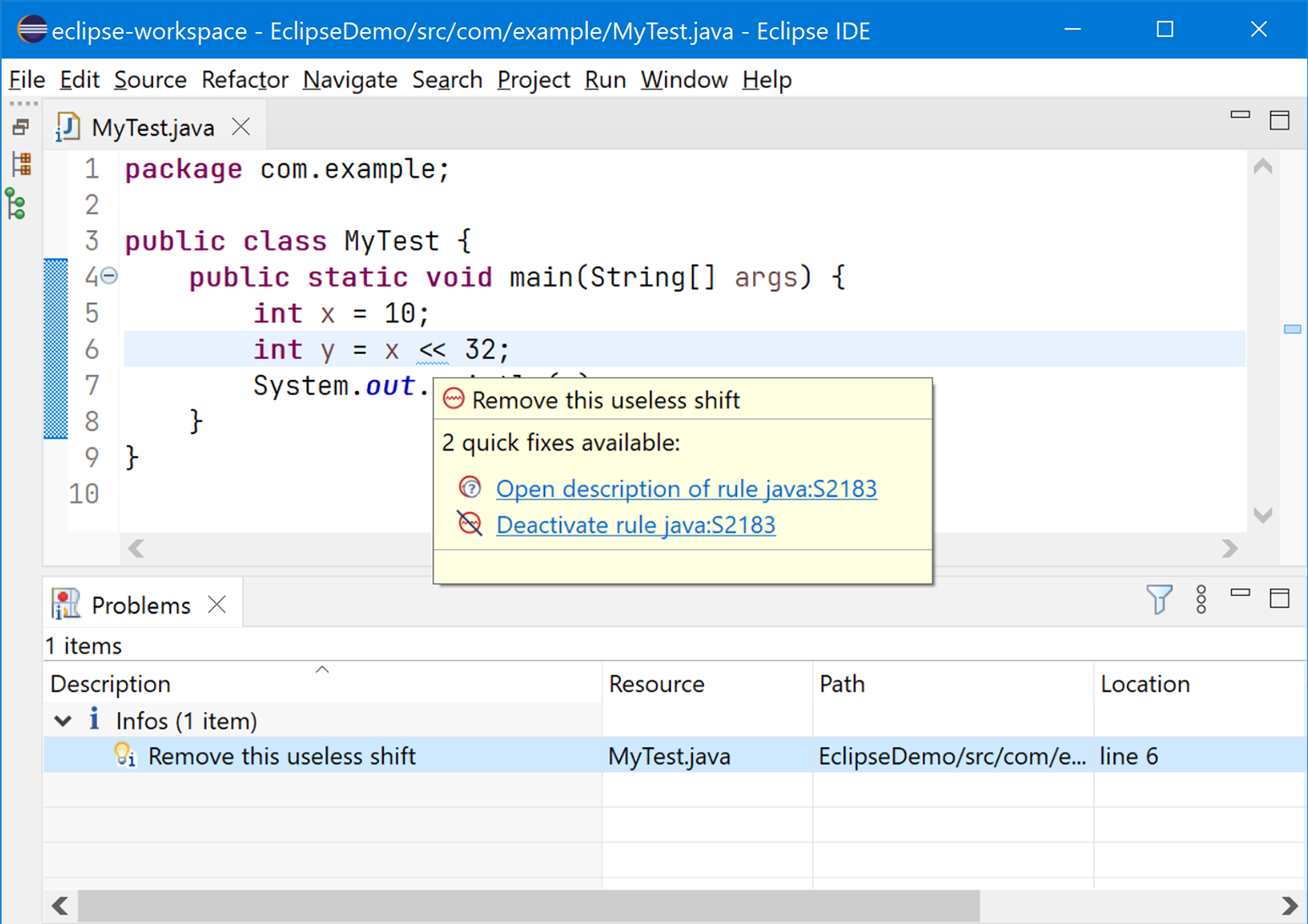
int value = 1; int result = value << 32; Shifting an int by 32 bits has no effect in Java, making the operation a likely mistake. SonarLint underlines it in Eclipse or Visual Studio Code and lists the problem for inspection. section 1.3.2

Use SonarLint to:

  • Install the plugin through Eclipse Marketplace or the Visual Studio Code extensions view. section 1.3.2
  • Read a rule description, deactivate a rule, or inspect warnings in the Problems view. section 1.3.2
Figure 1.2 The Eclipse IDE with the SonarLint plugin installed shows a warning about an int value being shifted by 32 bits.
figure

The Eclipse warning view shows how SonarLint presents the incorrect shift directly in the editor. section 1.3.2

How 100 Java Mistakes and How to Avoid Them covers it

How deep it goes
Demonstrates installation, editor warnings, rule controls, and project or package analysis without detailing analyzer internals.
Examples
Uses an int shifted by 32 bits as a concrete mistake reported in Eclipse and Visual Studio Code.
What it assumes
Assumes Java development and an IDE workflow, then shows how to install and use the analyzer.
What you can do after
Diagnose likely Java mistakes in an IDE and inspect, deactivate, or review the corresponding rule.
How it connects
Connects static analysis with Java IDEs, IDE plugins, extensions, and SonarQube.

Related concepts

This explainer was generated by Manning's knowledge graph from the text of 100 Java Mistakes and How to Avoid Them. The section links point to the parts of the book it draws on.