Spacing is the amount and arrangement of empty space between visual elements. It includes the gaps between components, content blocks, columns, and rows. section 6.6 section 6.2.1
Use space to reduce clutter, establish relationships through proximity, create focal points, and guide users through a page. A design with room to breathe feels less overwhelming and is easier to scan. section 6.4 section 6.6
Apply spacing deliberately:
- Separate unrelated sections and components so they do not appear to be one large block. section 6.4
- Give headings enough surrounding space to establish clear focal points and show users where each section begins. section 6.4
- Use grid gaps and consistent column dimensions to preserve organization as layouts scale across devices. section 6.2.1
- Treat mobile as a more usable, consumable experience rather than shrinking the desktop layout. section 6.6
From cramped to scannable
A three-column grid with tightly packed text components and Read More links can blur into one block. Adding space and making each link more prominent separates the components and makes the page easier to scan. section 6.4
Figure 6.23 Adding space and making the Read More button more prominent help define each component as its own, making the page easier to scan.
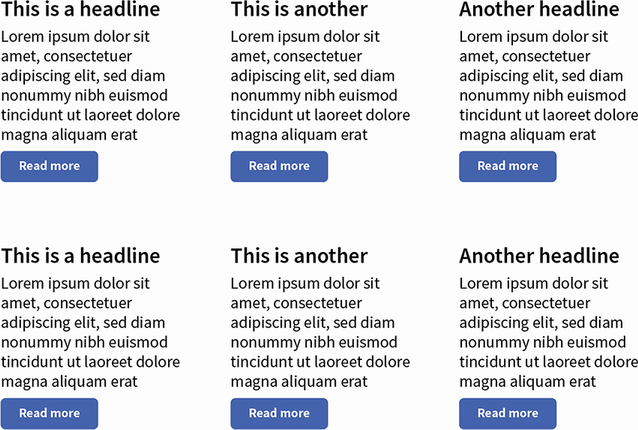
Compare the tightly grouped components with the version where added space and a clearer Read More button define each component. section 6.4

