A stacked bar chart combines several categories into one bar: the full bar shows a total, while its segments show the parts. That sounds efficient, but it often asks one chart to tell two stories at once—how much in total, and how the components compare. section 6.1.1 section 6.2.3
Use stacking only when the total is the main thing viewers need to see. In weekly avocado sales, stacked bars make total sales visible, but offer little help for comparing category sales across weeks. When the goal is a time trend, a line chart may work better; when the goal is comparison, unstack the segments. section 6.1.1 section 6.2.3
Prefer a clearer alternative when comparison matters:
- For a single stacked bar, split the segments into separate bars so each value is easier to inspect. section 6.2.3
- For several stacks, use a clustered bar chart: place the component bars alongside one another to reveal patterns, such as the most popular category in each region. section 6.2.3
- For comparing subcategories across categories, consider a dumbbell chart; it makes component differences easier to see but gives up each category’s total context. section 6.2.3
- In interactive displays, tooltips can provide exact values; in static displays, gridlines may help communicate approximate values when labeling every bar would become busy. section 6.2.3
Avocado sales by week
Five avocado sales categories—three PLU codes, bagged avocados, and bulk GTIN—sum to a weekly total. Stacking them exposes that total, but makes the category trends harder to read. Splitting or clustering the bars better supports comparisons among categories and regions. section 6.1.1 section 6.2.3
Figure 6.4 Same data as figure 6.2, but this time as stacked bars. I would argue that the only thing this chart has going for it is that you can see the total sales each week.
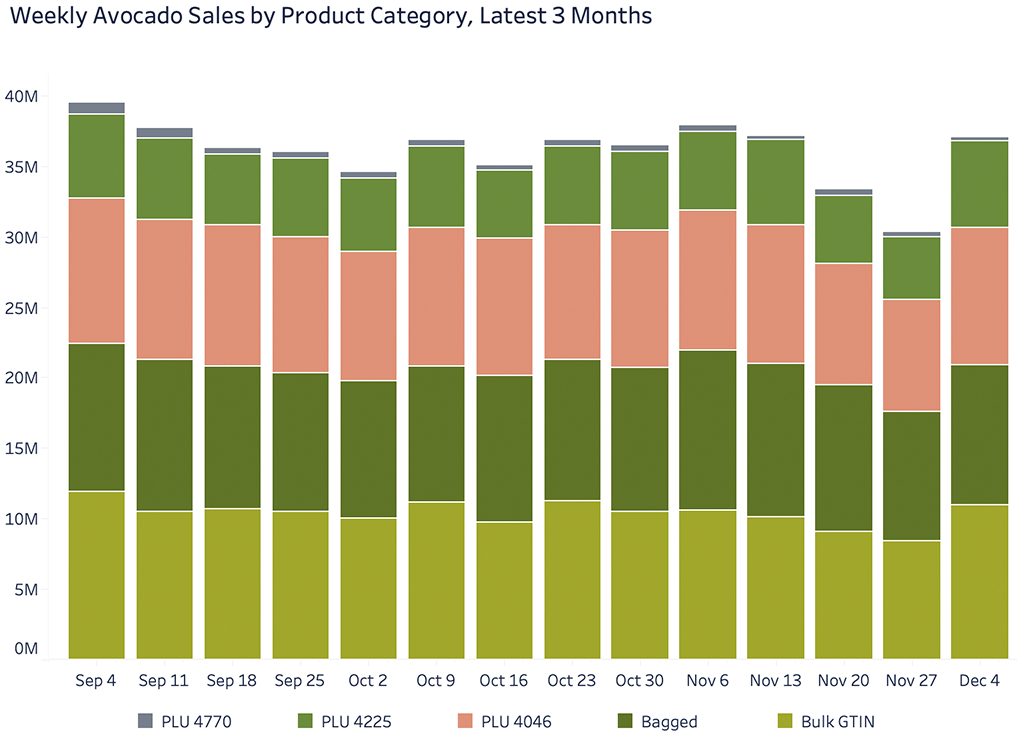
Compare the stacked version with the stated payoff: weekly totals are visible, while the component series remain difficult to compare. section 6.1.1
Figure 6.11 The multiple stacked bars on the left can be simply unstacked and displayed alongside one another, as on the right, to better see patterns across the data.
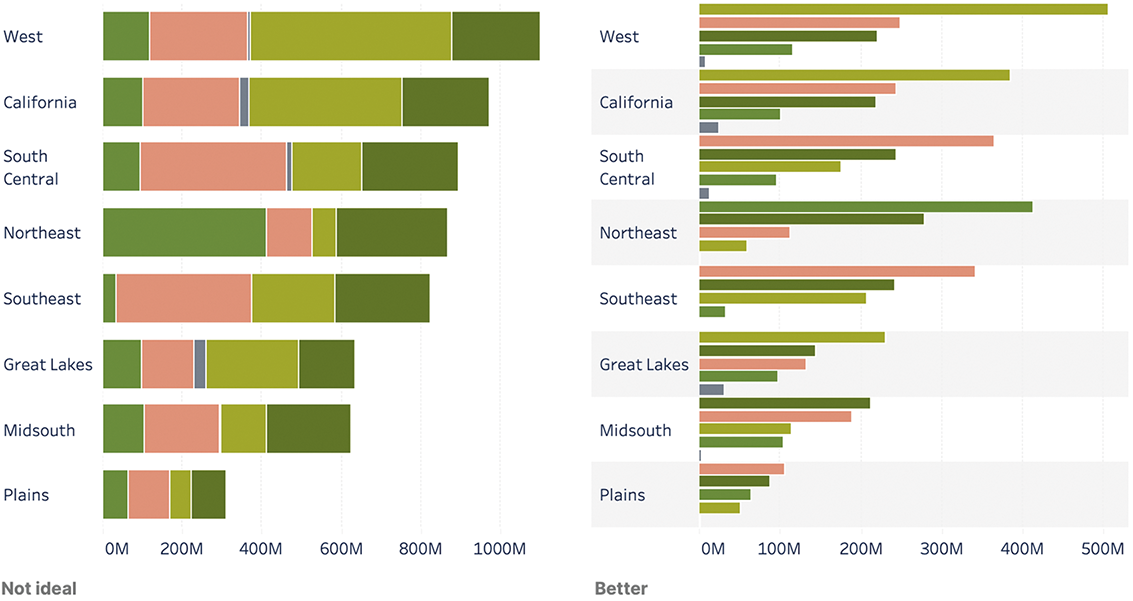
See how unstacking multiple bars into side-by-side bars makes patterns across product categories and geographies easier to spot. section 6.2.3




