User-interaction testing verifies software behavior through the user interface, reproducing end-user actions instead of calling internal program interfaces directly. It is especially useful for checking web interactions, end-to-end journeys, and behavior implemented only in the UI. section 10.0 section 10.1
Use UI tests selectively because they provide valuable evidence but carry execution and maintenance costs:
- Use them to demonstrate features, document user journeys, and give stakeholders confidence through visible behavior. section 13.0 section 10.1
- Prefer non-UI tests for business rules, calculations, and other behavior that can be checked through application code or a REST API. section 10.2
- Limit browser-based coverage because slow execution, resource overhead, browser failures, and environment problems can weaken suite confidence. section 13.0 section 10.5
- Improve reliability by adding meaningful element identifiers and waiting explicitly for asynchronous application states. section 10.5
A balanced acceptance strategy
Automate a user journey through a web application with Selenium WebDriver, capturing visible interactions as documentation, while checking calculations and business rules through non-UI tests. Add explicit or fluent waits when the interface updates asynchronously. section 10.0 section 10.2 section 10.5
Figure 10.1 A typical BDD project will have many more non-UI automated acceptance tests than UI ones.
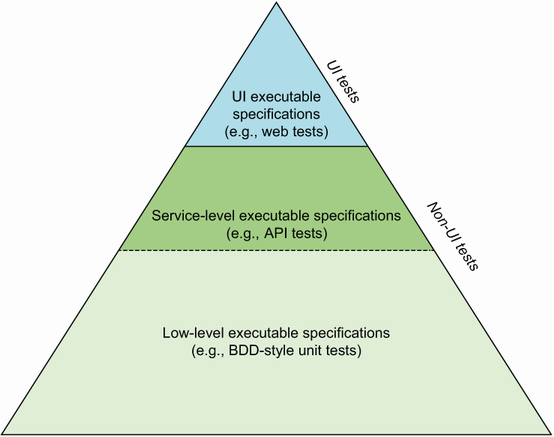
Compare the typical balance of automated acceptance coverage: many non-UI tests support a smaller, targeted set of UI tests. section 10.2

