The Visual Information-Seeking Mantra is a practical sequence for making large, interactive visualizations easier to explore: overview first, zoom and filter, then details on demand. section 7.2.1
Apply the sequence as one page or several coordinated views:
- Start with an overview that gives users their bearings and highlights the key takeaways. section 7.2.1
- Let users zoom in or out, literally or figuratively, and filter away information that distracts from their analytical focus. section 7.2.1
- Reveal details on demand through drill-down interactions, rather than forcing every detail into the initial view. section 7.2.1
From risk overview to community map
A drought-risk dashboard begins with a scatterplot overview, lets users choose a risk factor and investigate selected communities or census tracts, then reveals location details on a map. A KPI dashboard applies the same pattern with metric cards, focused breakdowns, and small multiples that retain the unsliced total for context. section 7.2.1 section 9.2.2
Figure 7.6 This data set is highly complex and very large, so it is perfect for employing the visual information-seeking mantra to help make the information more digestible.
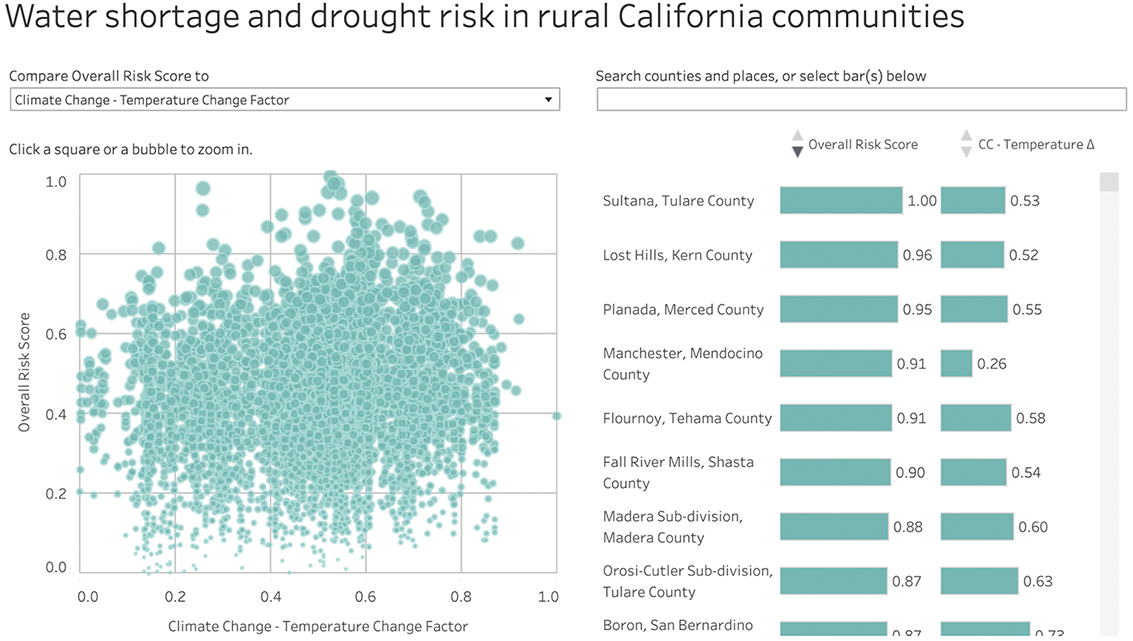
Use the complex drought-risk dashboard as a visual model for making a large dataset more digestible. section 7.2.1
Figure 7.7 The “details on demand” portion of the mantra is the most fun in this dashboard: once the user has selected a community or census tract they want to investigate, a map pops up in the lower right so they can see where it is in the state.
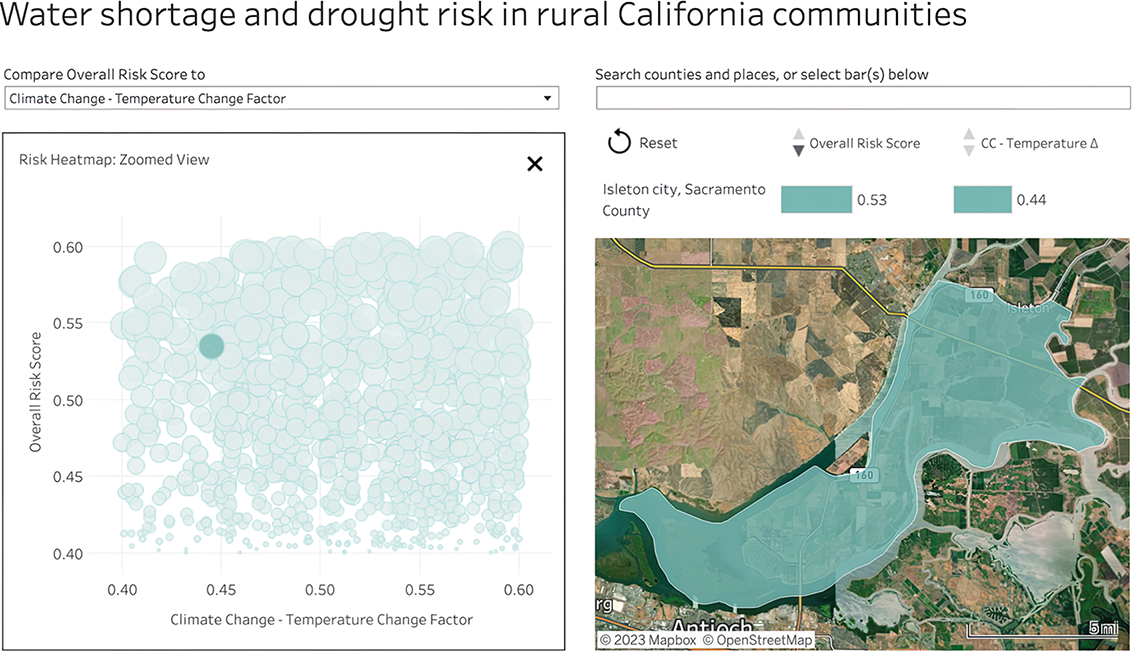
Inspect how selecting a community or census tract turns the final step into a contextual map. section 7.2.1
Figure 9.8 When asked to use someone else’s suboptimal design, I gave the client what they requested, but then, on the side, I whipped up a quick wireframe of something I thought would satisfy their needs better: a dashboard following the visual information-seeking mantra of overview first (top), then zoom and filter (lower left), then details on demand (lower right).
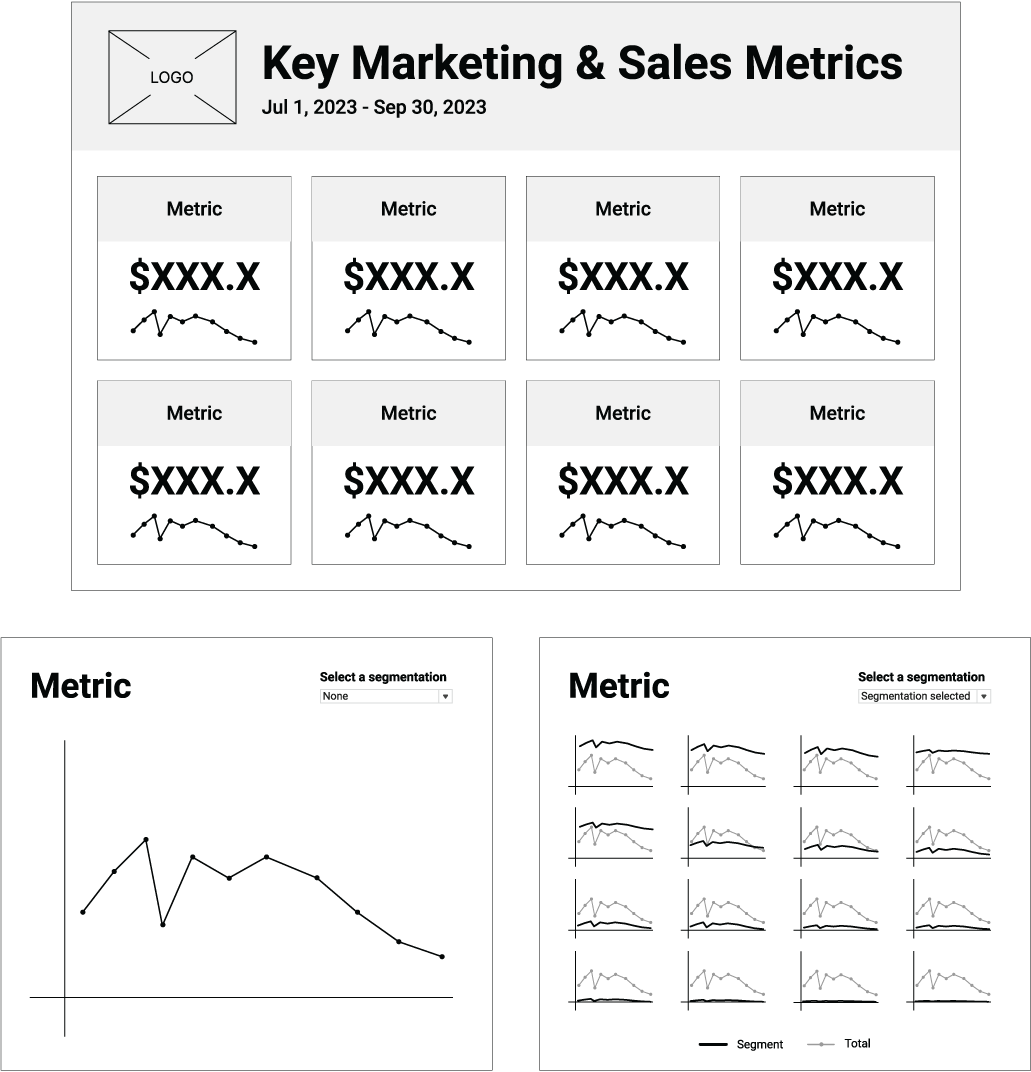
Compare the mantra’s three stages in a wireframe: overview at the top, zoom and filtering at lower left, and details at lower right. section 9.2.2
