A web application delivers its interface and functionality through web technologies and a browser, making it accessible across platforms without client-side installation or configuration. section 14.4
A web application can organize a realistic task-management workflow around:
- Creating, viewing, editing, and deleting tasks. section 14.2.1
- Sorting and filtering task lists by selected criteria. section 14.2.1 section 14.4.2
- Separating navigation controls in a sidebar from task content in the main area. section 14.4.2
Task-management web application
A Python script can become a web application with Streamlit. Running `streamlit run taskier_app.py` launches it in the default browser. Streamlit supplies widgets such as buttons, text inputs, and choice controls, while the application provides task-list, detail, update, deletion, and creation views backed by a database. section 14.4.1 section 14.4.2
Figure 14.4 The key features of the task management app. In the app, users can create a new task; view, sort, and filter tasks; view a task’s details; and delete a task.
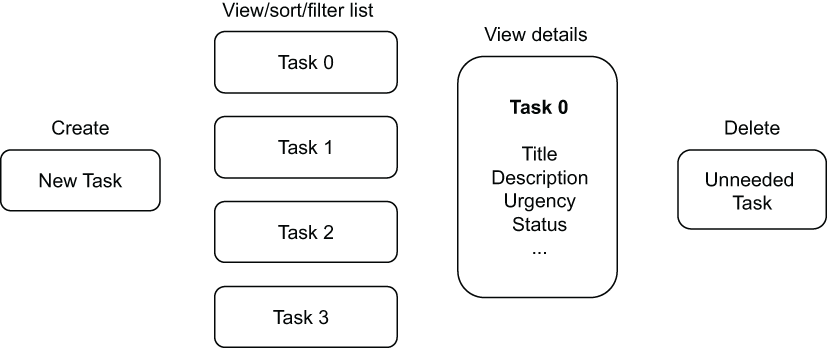
Use the feature map to survey the task-management actions exposed by the application. section 14.2.1







