The web template creates an ASP.NET Core project with the minimum configuration and content needed to start development. It provides basic services and middleware without choosing a larger application model such as MVC, Razor Pages, Blazor Server, Angular, or React. section 4.1.1 section 12.3
Minimal does not mean neutral: templates make configuration and development assumptions. The web template is useful while learning because each feature can be configured explicitly, although reaching a working result may take more effort. section 4.1.1
A typical command-line setup combines the web template with project and SDK configuration:
- Select the SDK with a global.json file, then create the project with dotnet new web. section 4.1.1
- Use --framework net7.0 and, when required by the example, --no-https. section 4.1.1
- Create a solution and add the project with dotnet new sln and dotnet sln add. section 4.1.1
- Inspect the generated structure through appsettings files, launchSettings.json, the project file, and compiler-output folders. section 12.3
Create a minimal project
dotnet new globaljson --sdk-version 7.0.100 --output MySolution/MyProject dotnet new web --no-https --output MySolution/MyProject --framework net7.0 dotnet new sln -o MySolution dotnet sln MySolution add MySolution/MyProject section 4.1.1
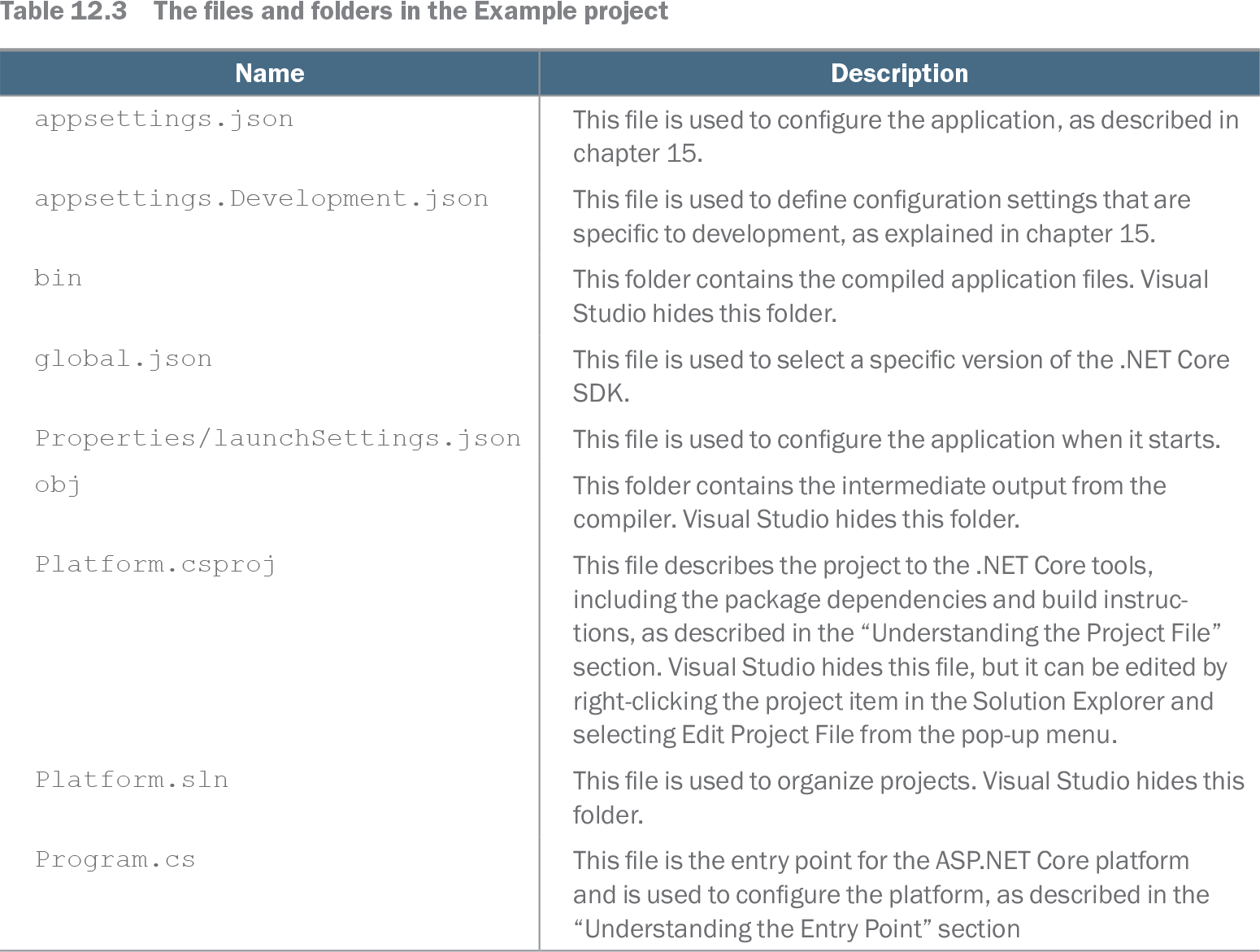
Table 12.3 The files and folders in the Example project (view table figure)
| Name |
Description |
|---|---|
| appsettings.json |
This file is used to configure the application, as described in chapter 15. |
| appsettings.Development.json |
This file is used to define configuration settings that are specific to development, as explained in chapter 15. |
| bin |
This folder contains the compiled application files. Visual Studio hides this folder. |
| global.json |
This file is used to select a specific version of the .NET Core SDK. |
| Properties/launchSettings.json |
This file is used to configure the application when it starts. |
| obj |
This folder contains the intermediate output from the compiler. Visual Studio hides this folder. |
| Platform.csproj |
This file describes the project to the .NET Core tools, including the package dependencies and build instructions, as described in the “Understanding the Project File” section. Visual Studio hides this file, but it can be edited by right-clicking the project item in the Solution Explorer and selecting Edit Project File from the pop-up menu. |
| Platform.sln |
This file is used to organize projects. Visual Studio hides this folder. |
| Program.cs |
This file is the entry point for the ASP.NET Core platform and is used to configure the platform, as described in the “Understanding the Entry Point” section |
Browse the generated files to see how application settings, development settings, SDK selection, launch configuration, compiled output, and project instructions are represented. section 12.3