White space, also called negative space, is the unoccupied room around and between interface elements. It is not wasted space: it makes pages less cluttered, creates focal points, and helps people understand where to look next. section 6.4
Use space to show relationships. Items placed close together appear related; a larger gap separates groups. This turns a page from an undifferentiated collection of elements into chunks that users can scan and understand quickly. section 2.1.1 section 6.6
When adjusting a layout, use white space deliberately:
- Keep a heading close to the text or fields it introduces, then leave more room before the next section. section 2.1.1
- Separate actions with different purposes, rather than making every button appear to be one group. section 2.1.1
- Give important headings or components room around them so they become focal points instead of competing with nearby content. section 6.4
- Resist filling every pixel with imagery or components; spacing helps make an interface cleaner and easier to consume. section 6.6
Turning a content wall into separate articles
A list of blog titles and previews can look like one large group when every gap is equal. Keep each title near its preview, then increase the space after the preview. Each title-preview pair reads as one article, while the larger gap marks the next article. section 2.1.1
Making a crowded component list scannable
When several text components sit too close together, they merge visually into one block. Add space between components and make the Read More action more prominent so each component has a clearer boundary and is easier to scan. section 6.4
White space also contributes to tone. Generous negative space can make a design feel elegant or luxurious, much as a high-end store strategically spaces products to give each item room to breathe. The right amount depends on the content and the efficiency users need from the interface. section 6.4 section 1.0
Figure 6.23 Adding space and making the Read More button more prominent help define each component as its own, making the page easier to scan.
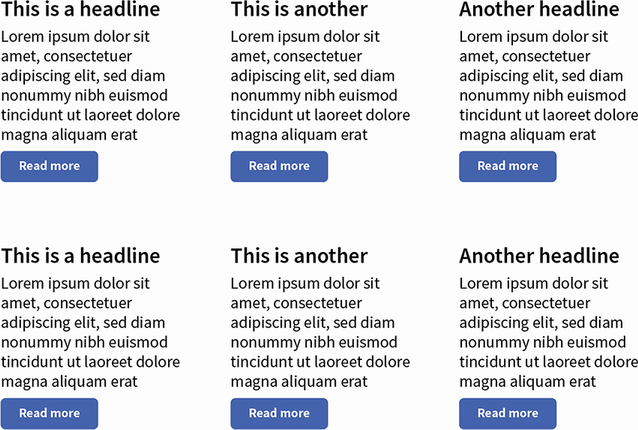
Compare crowded components with a spaced version to see how separation and a stronger action make individual content units easier to recognize. section 6.4


