An accessible interface stays understandable when someone reads it with a screen reader, navigates by keyboard, changes text settings, or prefers less motion. A visual design should not be the only way to follow the content or tell what is happening. section 2.6 section 3.0 section 6.7.1
Check accessibility as each visual feature takes shape:
- For a CSS Grid layout, keep HTML source order aligned with the visual reading order. After placing items in grid areas, tab through the page and check that focus still moves logically. section 2.6
- For a loader, pair the graphic with text saying what is happening. A progress indicator helps users know the application is working; text also conveys that message to screen readers. section 3.0
- For text, use relative sizes such as rem or em so it can scale with user settings and devices. For animation, consider its speed, duration, size, flashing, and whether it is essential. section 6.7.1 section 3.5
A loader with less motion
A large loader animation may run for more than three seconds. If a progress bar already communicates what the application is doing, disable the large animation for people who prefer reduced motion: `@media (prefers-reduced-motion: reduce) { rect { animation: none; } }`. Emulate that preference in browser developer tools to check the result. Reduced motion calls for selecting animations carefully, not necessarily removing every animation. section 3.5
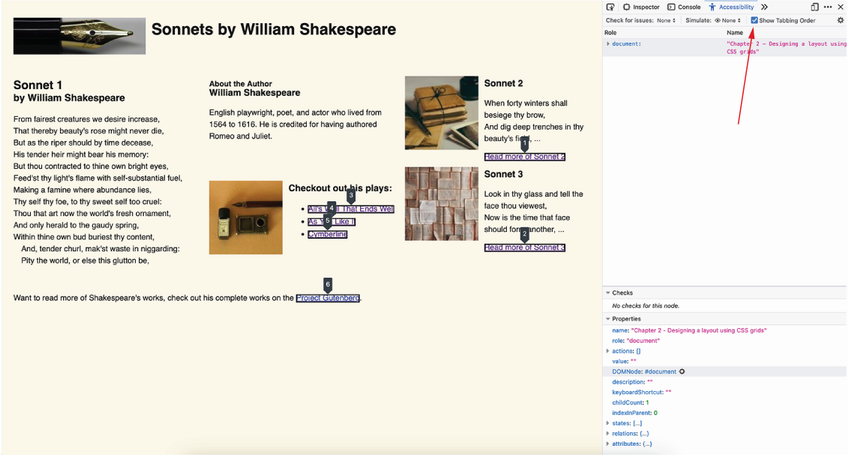
The numbered focusable elements make it easier to check whether a grid layout's tab order remains logical. section 2.6





