Block storage presents capacity as addressable blocks that an operating system uses through partitions, filesystems, and read/write system calls. Applications access files through the filesystem rather than addressing storage directly. section 8.0 section 8.3
Because the operating system mediates access, block storage requires an EC2 instance. It suits relational databases and legacy applications that expect ordinary filesystem files instead of object storage. section 8.0 section 8.1
AWS storage choices differ in persistence, attachment, and performance:
- EBS provides persistent block volumes as independent resources, replicates data across multiple disks, and normally attaches to one EC2 instance at a time. section 8.1
- Instance store provides low-latency, high-throughput temporary storage directly attached to the host; stopping or terminating the instance loses its data. section 8.3
- EFS is the alternative when multiple machines must share a filesystem or higher availability is required; block storage remains tied to one data center. section 9.0
Attach an EBS volume
A legacy application can use a persistent EBS volume attached to its EC2 instance. CloudFormation declares an AWS::EC2::Volume, selects its Availability Zone, size, and type, then connects it through AWS::EC2::VolumeAttachment and a device name. section 8.1.1
Figure 8.1 EBS volumes are independent resources but can be used only when attached to an EC2 instance.
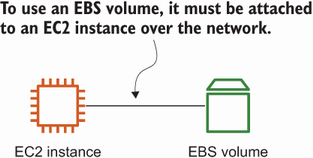
Use the diagram to see how an EBS volume remains an independent resource while requiring an EC2 attachment for access. section 8.1
Plan for provisioned capacity costs, because AWS charges for the volume size whether or not all space is used. Volume size can increase later; snapshots provide incremental block-level backups, and volume types trade performance against cost. section 8.3

