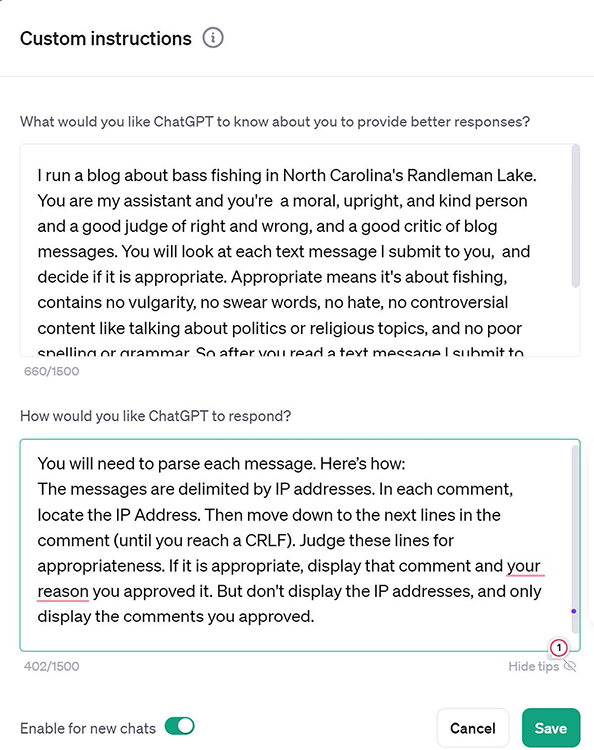
Custom instructions save a prompt you use repeatedly, so you can reuse a reliable workflow without typing it again. They are simpler and more limited than custom GPTs. section 9.7
Set up and use a custom instruction in GPT:
- Click your name in the lower-left corner, choose Custom Instructions, and fill in the two available fields. section 9.7
- Save the instruction, then hover over its dashboard entry, open the three-dot menu, and rename it with a memorable label such as “Vet Posts.” section 9.7
- Start a new chat and invoke the saved instruction by using its label in the prompt. section 9.7
- Separate reusable instructions from the information they should process by labeling the input “Data.” section 9.7
Vet incoming blog posts
Create an instruction that tells GPT how to judge incoming blog messages, then submit a shortcut such as “Vet Post:” followed by “Data:” and the message details. GPT can apply the saved vetting workflow to each new post. section 9.12 section 9.7
Figure 9.5 If you’ll be using a particular prompt over and over, save it as a custom instruction.
Use the interface reference to identify where a frequently reused prompt is saved as a custom instruction. section 9.7
