A debugger is an interactive tool for examining a running program instead of relying only on a traceback after an exception. It pauses execution at a breakpoint, lets you inspect the current state, and allows execution to continue under your control. section 13.2 section 13.2.5
Figure 13.4 The general aspects of debugging programs in Python. For a program, we add breakpoints to the places where we debug. When the execution encounters the breakpoint, it activates the interactive debugger. Then we can perform a variety of debugging tasks, such as running code line by line.
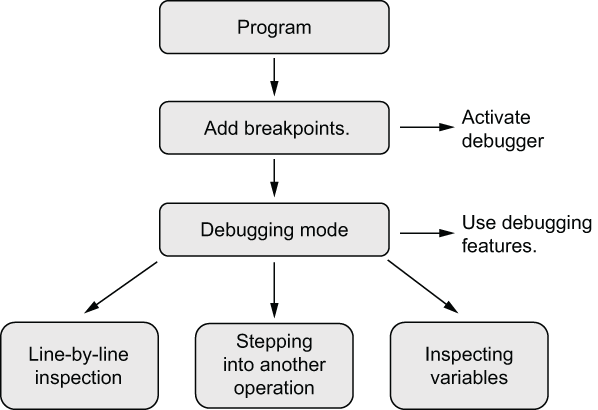
Use the workflow as a mental model: place breakpoints, enter the debugger when execution reaches one, and inspect or advance the program step by step. section 13.2
In Python, the standard-library pdb module provides the essential interactive debugger. Add a breakpoint with breakpoint(), which activates the same debugger as pdb.set_trace() and changes the prompt to (Pdb). The newer built-in call is the cleaner form; the explicit pdb call makes the underlying mechanism visible. section 13.2.1
Pause and trace a task conversion
def create_task(inject_bug: bool): breakpoint() task_text = obtain_text_data(inject_bug) title, urgency_text = task_text.split(",") urgency = int(urgency_text) return Task(title, urgency) Run the script and use n to execute the current line, Enter to repeat n, l to list nearby source, and s to step into a called operation. The debugger shows the next line before it runs, making a failing conversion easier to localize. Use s rather than n when the called function itself needs inspection. section 13.2.2 section 13.5
A practical debugging loop is:
- Use the traceback to locate a likely failing operation, then insert a breakpoint near that location. section 13.2.1
- Advance one line at a time to observe how values and operations change. section 13.2.2
- Inspect the evolving local namespace while the function runs; newly created variables appear as execution proceeds. section 13.2.6





