Think of denoising strength as the upscaler’s permission to rewrite your image. It controls how much noise is added before diffusion generates the final result: higher values allow larger changes, while lower values preserve more of the input. section 7.2.2
Use the value as a practical starting point:
- Set it between 0.0 and 1.0. A value of 0.0 adds no noise; the typical default is 0.7. section 7.2.2
- Lower it when an upscale changes the original too much. Around 0.5 preserves the source more closely while still adding detail. section 7.2.2 section 7.3.2
- Do not assume lower is always better. Around 0.3 can smooth details into a blurry or “blobby” result, especially at 4x scale. section 7.2.2
- When using another checkpoint, reduce the value to moderate its stylistic impact; 0.5 can compromise between dramatic reinterpretation and fidelity. section 7.3.2
Iterating with img2img
A 0.75 setting can push an image toward a more animated, detailed style when the result is sent through img2img again. Set resize to 1 before repeating the process, or the resolution multiplies again; repeated passes can eventually make the image look strange. section 7.3.3
Figure 7.7 Scaling by a factor of 2 with a denoising strength of 0.5.
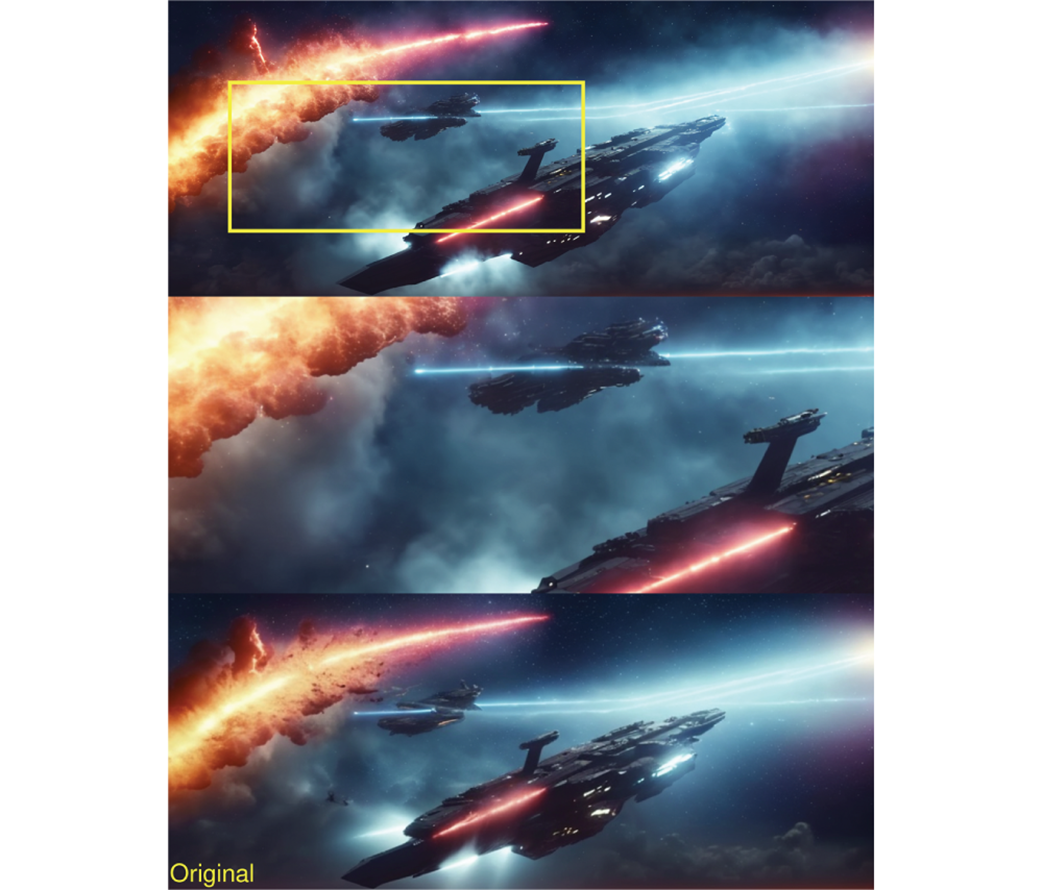
Compare a 2x upscale at 0.5 with nearby settings to see how preservation and generated detail trade places. section 7.2.2
In a scheduler workflow, denoise also changes the image’s character. A maximum of 1.0 removes the noise completely; small reductions can make the result more illustrative, but larger reductions may rapidly destroy recognizable image quality. section 10.3.3 section 10.5
