liveBook · Manning

End-to-end testing

As explained in Web Component Development with Modern Libraries and Tooling

An end-to-end test exercises an application through a complete user-facing workflow across its integrated components.

End-to-end testing checks a web component through browser behavior, complementing unit tests by verifying that the rendered interface and user interactions work together. section 1.5 section 6.9

A compact browser-level test can follow this sequence:

  • Create a page containing the component and its properties or slotted content. section 6.9
  • Verify that the component hydrates and renders expected labels, values, or other visible structure. section 6.9
  • Perform a user action, wait for changes, and verify the resulting control state and component value. section 6.9

Testing a radio group

A browser test renders a radio-group with Red, Green, and Blue options, confirms the component is hydrated and exposes the expected labels, then clicks Green and checks that it becomes selected and changes the component value to "green". section 6.9

"test.e2e": "stencil test --e2e",
"test.spec": "stencil test --spec",

Use separate commands to run end-to-end tests independently from unit tests, making browser failures easier to investigate. section 6.9
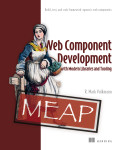
How Web Component Development with Modern Libraries and Tooling covers it

How deep it goes
Demonstrates page setup, rendering assertions, user clicks, asynchronous waits, and coverage measurement for a component.
Examples
Tests a radio-group's rendered options, hydration state, radio-button click, selected state, and resulting value.
What you can do after
Apply it via Stencil test commands to verify component workflows and inspect uncovered code.
How it connects
Connects end-to-end testing with web components, unit testing, test coverage, and Playwright.

Also explained in

Compare how 17 books explain end-to-end testing →

Related concepts

This explainer was generated by Manning's knowledge graph from the text of Web Component Development with Modern Libraries and Tooling. The section links point to the parts of the book it draws on.