A browser event passes up the chain of ancestor elements. In a Blazor component, clicking a button inside a div can therefore invoke both the button’s @onclick handler and the div’s @onclick handler. section 33.4.1
Two counters from one click
Put an @onclick handler on a button that increments one counter and another on its enclosing div that increments a second counter. Clicking the button updates both. Add @onclick:stopPropagation to the button to prevent the event from reaching the ancestor handler. section 33.4.1
Do not confuse propagation with default behavior. @onclick:preventDefault addresses a different problem: a button inside a form submits the form when clicked, even if it has an @onclick handler. section 33.4.1
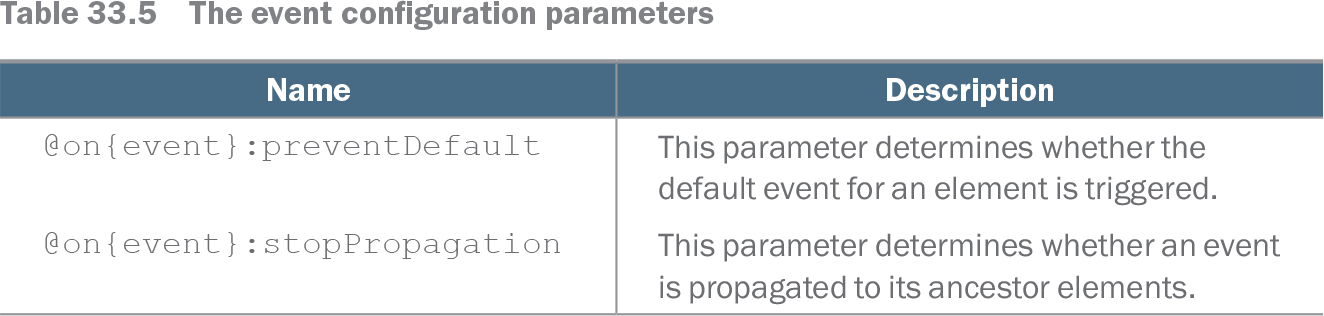
Table 33.5 The event configuration parameters (view table figure)
| Name |
Description |
|---|---|
| @on{event}:preventDefault |
This parameter determines whether the default event for an element is triggered. |
| @on{event}:stopPropagation |
This parameter determines whether an event is propagated to its ancestor elements. |
Compare the two Blazor event parameters: stopPropagation controls propagation to ancestors; preventDefault controls the element’s default event behavior. section 33.4.1