A heading is a signpost: it breaks up an article, helps readers scan and navigate, and answers the question likely running through their minds. section 5.4.4 section 5.2.3
Make headings useful with this short test:
- Use terms the reader understands and put the critical words first. Prefer “Throughput Results” to “Configuration A vs. Configuration B: Throughput.” section 5.4.4
- Keep headings short enough to scan, and use multiple hierarchy levels only when they clarify structure. Number sections when that makes the hierarchy easier to follow. section 5.4.4 section 7.3.1
- Label urgent destinations plainly. A prominent “The Fix” heading lets impatient or returning readers skip directly to the solution. section 8.5.6
Turn jargon into orientation
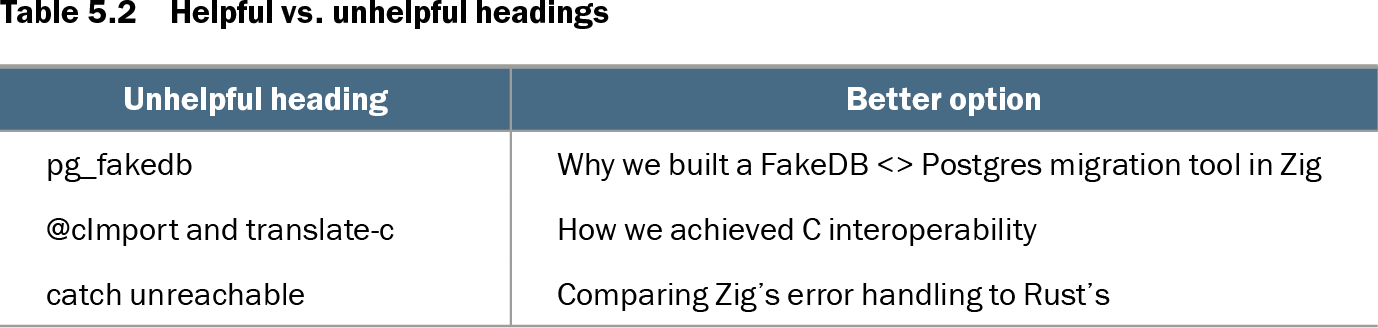
Replace “pg_fakedb” with “Why we built a FakeDB <> Postgres migration tool in Zig.” Replace “catch unreachable” with “Comparing Zig’s error handling to Rust’s.” The stronger versions reveal the reader’s destination instead of merely naming an implementation detail. section 5.2.3
Table 5.2 Helpful vs. unhelpful headings (view table figure)
| Unhelpful heading |
Better option |
|---|---|
| pg_fakedb |
Why we built a FakeDB <> Postgres migration tool in Zig |
| @cImport and translate-c |
How we achieved C interoperability |
| catch unreachable |
Comparing Zig’s error handling to Rust’s |
Compare terse technical labels with headings that state the problem, purpose, or comparison the reader is about to encounter. section 5.2.3