Kibana is the web-based administrative and visual interface for Elasticsearch. It provides a place to execute queries, inspect results, manage cluster data, and turn stored data into dashboards, graphs, and charts. Elasticsearch handles search and analytics; Kibana makes those capabilities accessible through a visual console. section 1.4 section 1.4.2
In the Elastic Stack, Beats and Logstash bring data from external systems into Elasticsearch, while Kibana works with that indexed data. Use it to explore data, run analytical and statistical operations, create visualizations, and share dashboards. section 1.4.2 section 2.0
Run an indexing request in Dev Tools
Open Management > Dev Tools after Kibana and Elasticsearch are running. Write an Elasticsearch request in the left editor pane and select Play. Kibana adds the appropriate server URL details, sends the request over HTTP, and displays the JSON response in the right pane. A successful indexing response includes a result indicating that the document was created, along with HTTP status and metadata such as index, ID, and version. section 2.1.3
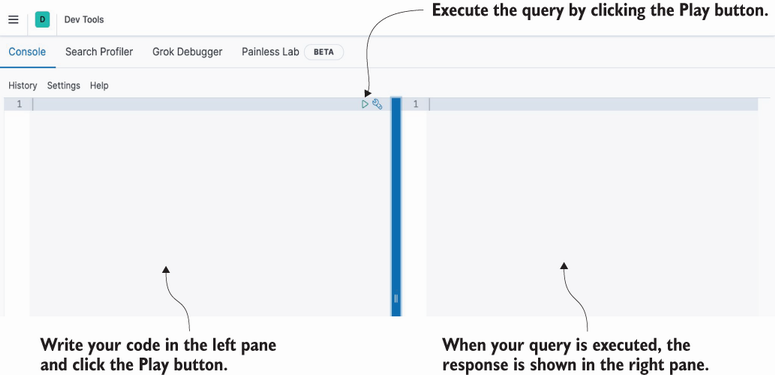
The Dev Tools editor shows the two-pane workflow: compose an Elasticsearch request on the left and inspect its response on the right. section 2.1.3
Kibana is a preferred REST client, not the only one: cURL, Postman, and programming SDKs can also call Elasticsearch. Its editor is useful when learning or testing API requests because queries can be constructed directly with Elasticsearch’s REST and JSON interfaces. section 2.0


