kubectl is the Kubernetes command-line client. It sends requests to the Kubernetes API server, which validates and stores resource objects and triggers control-plane components to act on them. section 1.2.4 section 3.2
Prepare kubectl and use it to inspect a cluster:
- Install the executable, place it on your path, and configure kubeconfig so it knows which cluster to contact. section 3.2.1
- Check connectivity with kubectl cluster-info; list resources with kubectl get; inspect detailed status with kubectl describe. section 3.2.3
- Speed up repeated work with the k alias and shell tab completion, including completion for object names. section 3.2.1
Inspecting a cluster
Run kubectl cluster-info to confirm that the API server responds, kubectl get nodes to list nodes, and kubectl describe node NAME to view status, resource usage, system information, and running containers. Deployments can also be created, exposed, and scaled with kubectl commands. section 3.2.3 section 3.4
Figure 3.6 Interacting with a Kubernetes cluster
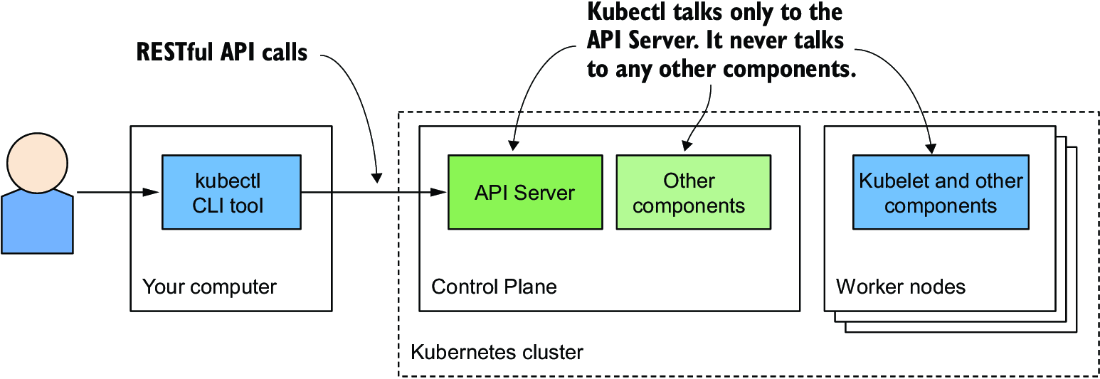
Visualizes kubectl communicating with the Kubernetes API server and the control plane responding to submitted changes. section 3.2










