A D3 layout is a preprocessing function: it takes input data and returns an annotated form containing the geometry needed for a chosen visualization. The layout computes values; separate drawing code turns those values into SVG shapes. A pie layout, for example, adds slice angles, while a stack layout adds the boundaries of stacked series. section 5.0 section 5.4
Figure 5.1 The layout function is a data preprocessing step used to calculate the information required to draw a specific chart.
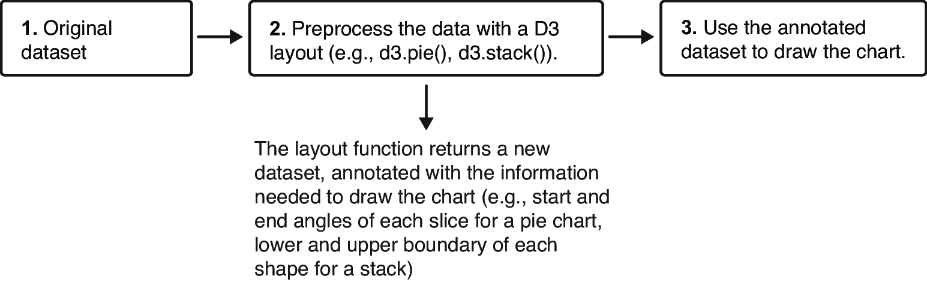
A layout sits between raw data and rendering: calculate chart-specific attributes first, then bind the enriched data to visual elements. section 5.0
Use a layout by configuring it for the chart, calling it with data, and drawing from its returned attributes:
- For pie or donut charts, call d3.pie() on numbers or objects. With object data, use value() to identify the field that controls slice size; the result supplies start and end angles for an arc generator. section 5.4
- For stacked bars or streamgraphs, configure d3.stack() with keys for the series to stack. Each returned datum exposes lower and upper boundaries, d[0] and d[1]. section 5.4
- For a circle pack, aggregate hierarchical values with root.sum(), configure pack() with size and padding, then call it on the root. Nodes receive x, y, and r values. section 11.2.1
Circle pack geometry
Given hierarchical language data, sum total_speakers on the root, set a pack layout’s chart size and padding, and run it on the root. The resulting descendants carry each circle’s center position and radius, ready to bind to SVG circles. section 11.2.1
Layout generators support different visual structures with the same general pattern: enrich data first, then render it. Hierarchical layouts can place parent-child nodes for circle packs, treemaps, tree charts, and icicle charts; custom projects can also position elements on a radial layout after breaking the intended geometry into code. section 11.0 section 14.0
