OneTrainer is a graphical interface for configuring and running machine-learning training jobs. It supports several model families and tasks; a practical starting point is fine-tuning Stable Diffusion 1.5. section 15.3 section 15.3.2
A straightforward OneTrainer workflow looks like this:
- Prepare training images with captions stored in same-named .txt files; this keeps prompts flexible and makes the dataset easy to extend. section 15.2.3
- Install OneTrainer for your platform, then launch its interface with ./start-ui.sh from the installation directory. section 15.3.1
- Choose the model family and task, such as SD1.5 and Fine Tune, then select a workspace with enough storage for checkpoints, samples, backups, and configuration files. section 15.3.2
- Start training from the bottom-right button and inspect generated samples while OneTrainer writes configuration, intermediate checkpoints, and results into the workspace. section 15.4
A sensible first run
Set the task to SD1.5 fine-tuning, point the workspace at a spacious drive, load a captioned image dataset, and press Start Training. Review samples rather than waiting for a mysterious progress bar to reveal the future. Early fine-tuning can produce strong improvements, but useful training data should add new information to avoid model collapse. section 15.3.2 section 15.4 section 15.7
Figure 15.5 Each label/caption for the image is stored in a similarly named .txt file
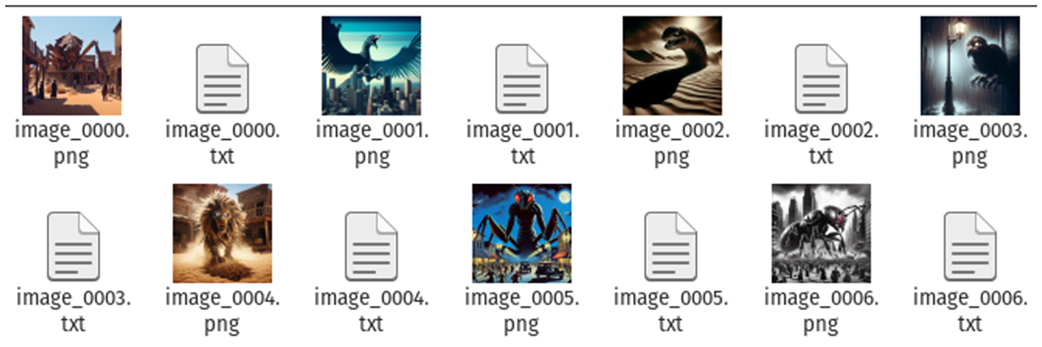
Use the caption-file layout as a quick visual check: each image has a same-named text file containing its label or prompt. section 15.2.3
