liveBook · Manning

OpenAI Playground

As explained in Grokking AI Applications

A testing environment for interacting with an AI application and observing its results during development.

OpenAI Playground is a testing environment for interacting with an AI application and observing its results during development. It turns experimentation into a quick loop: build a flow, try it, compare behavior, and adjust the design. section 2.2

Use the Playground to:

  • Start a conversation with an assistant assembled in the flow editor. section 2.3
  • Toggle memory components on and off to compare their effect on the user experience. section 2.2
  • Test changes as you build, supporting rapid iteration and debugging without repeatedly writing traditional code. section 2.2

Testing a pirate chatbot

After connecting components for a chatbot, open the Playground and chat with the assistant. Compare responses with memory enabled and disabled, then refine the flow based on what you observe. section 2.3 section 2.2

Figure 2.16 Our first Langflow creation is ready to chitchat.
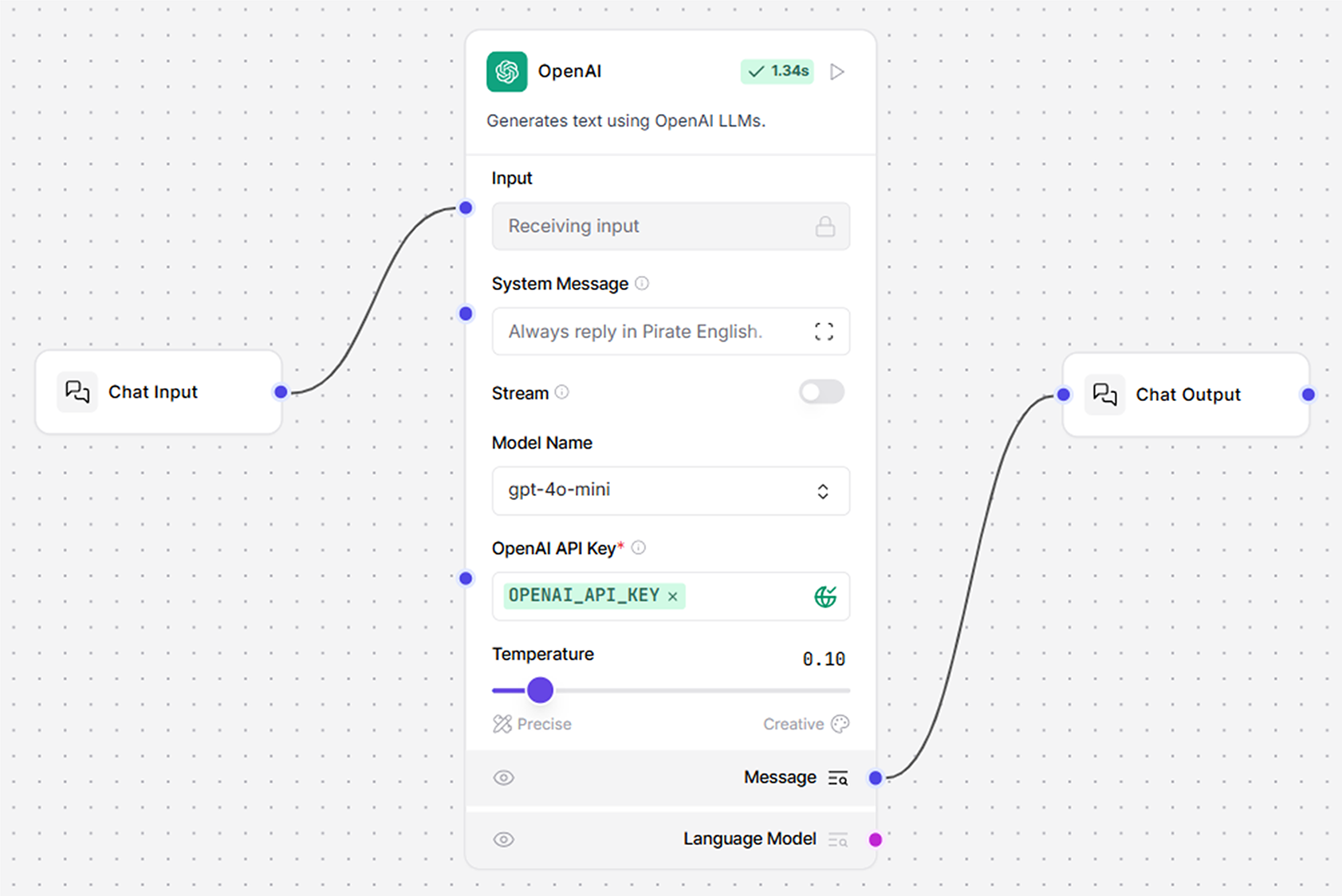
View the completed Langflow creation ready for conversation. section 2.3


How Grokking AI Applications covers it

How deep it goes
Demonstrates real-time interaction and memory comparisons, but does not descend into implementation internals.
Examples
Uses a pirate chatbot and memory toggles to demonstrate conversational testing and user-experience comparison.
What you can do after
Operate/configure a GenAI flow, test conversations, compare component behavior, and debug through rapid interactive iteration.
How it connects
Connects the flow editor, chatbots, memory components, LLMs, and APIs.

Also explained in

Compare how 2 books explain OpenAI Playground →

Related concepts

This explainer was generated by Manning's knowledge graph from the text of Grokking AI Applications. The section links point to the parts of the book it draws on.