An operating system manages a computer’s platform and provides the environment where applications run. In cloud computing, it is the layer you choose and configure inside a virtual machine rather than on hardware you own. section 3.1
When selecting an operating system for an Azure VM, consider:
- Choose between Windows and Linux families, then select a specific distribution or Windows Server version. section 3.2.2
- Use Ubuntu LTS for a general-purpose Linux VM when a stable, current image is appropriate. section 3.2.2
- Match specialized images to the workload, such as database or blockchain-development environments. section 3.2.2
- Remember the responsibility trade-off: VM users control the operating system, while Azure maintains it for PaaS services. section 6.2.3 section 3.1
A custom application VM
A team hosting custom software can select Windows Server or a Linux distribution, install its required software and integrations, and scale the VM as demand grows. The team gains platform control without purchasing physical hardware. section 3.1
Figure 3.15 Choose the latest Ubuntu LTS version as the VM image.
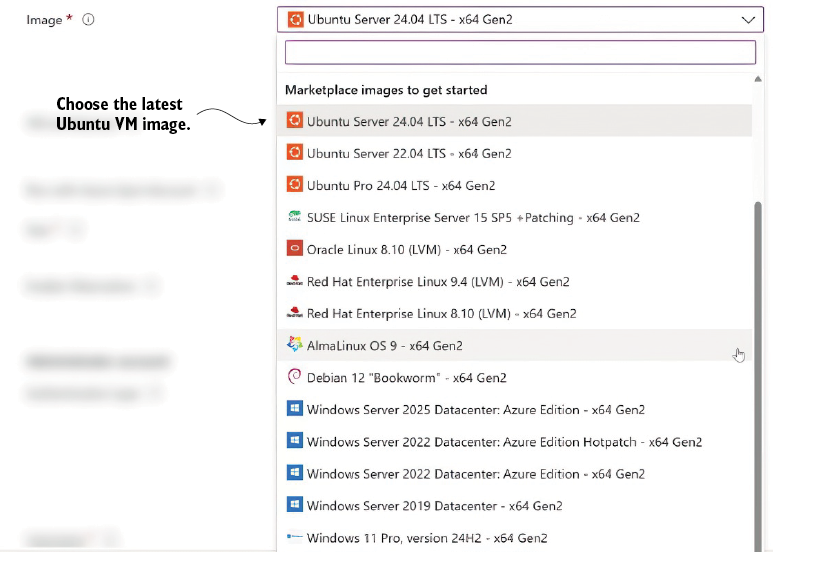
Use the Azure portal’s VM-image choice to see how an Ubuntu LTS operating system becomes the foundation for a new virtual machine. section 3.2.2



