A rem is a CSS relative length unit: 1rem equals the font size of the page’s root element, html. Think of it as a ruler whose size follows the visitor’s default text setting, rather than a ruler nailed to 16 pixels forever. section 7.6
That flexibility matters for readable type. If the root size is 16px, font-size: 1.5rem renders as 24px. If a visitor changes the default to 20px, the same declaration renders as 30px. The proportion stays the same—nice and civilized. section 7.6 section 14.9
PLAY: Scale headings without pixel lock-in
Use rem values for heading sizes, then adjust them at a wider screen size with a media query: h1 { font-size: 2rem; } h2 { font-size: 1.5rem; } h3 { font-size: 1.25rem; } @media (min-width: 750px) { h1 { font-size: 2.5rem; } h2 { font-size: 2rem; } h3 { font-size: 1.5rem; } } The headings remain relative to the root font size while the layout gets roomier on larger screens. section 14.10
Rem is not only for font-size. A fixed header height such as height: 64px can crowd or clip enlarged text. Changing it to height: 4rem lets the header grow and shrink with the root font size. Better yet, avoid explicit heights when the content should determine its own space. section 14.11
REMEMBER: Choose measurements by the job they need to do.
- Use rem for font sizes and vertical spacing such as height, padding-top, padding-bottom, margin-top, and margin-bottom. section 14.11 section 14.12
- Use percentages for many horizontal widths, paddings, and margins; use rem for width, max-width, or min-width when more control is wanted. section 14.11
- Use vw or vh when a horizontal or vertical measurement should scale with the browser viewport. section 14.11
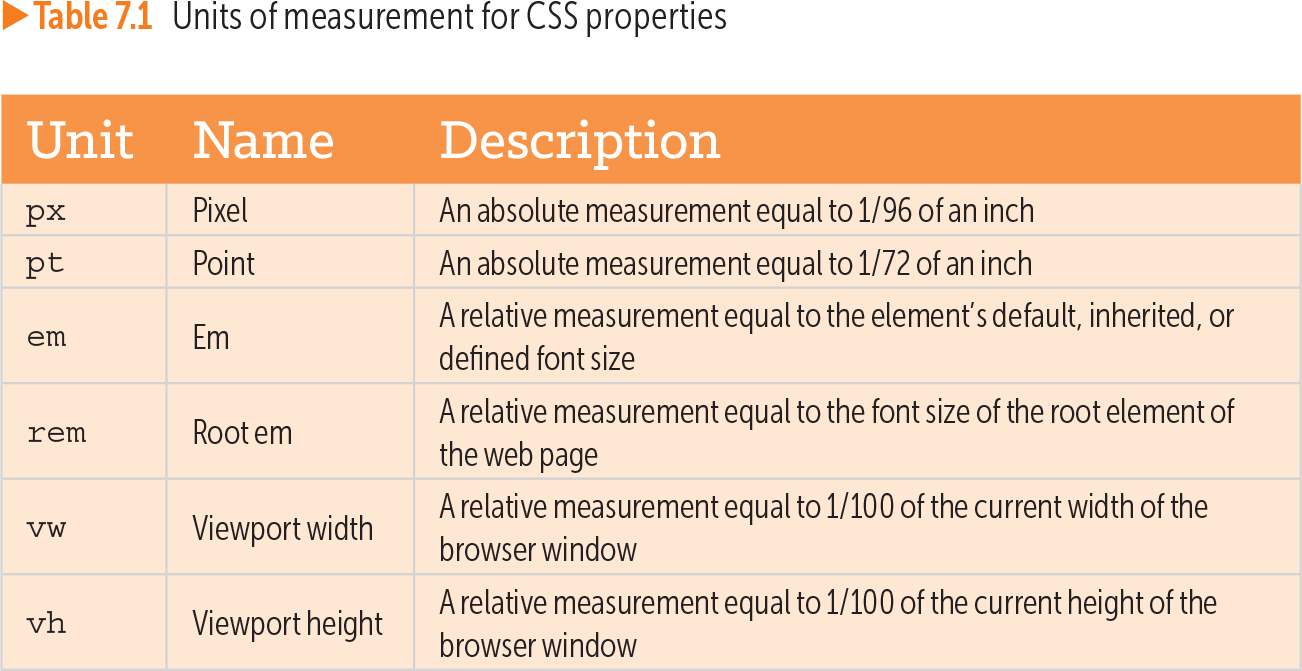
Table 7.1 Units of measurement for CSS properties (view table figure)
| Unit |
Name |
Description |
|---|---|---|
| px |
Pixel |
An absolute measurement equal to 1/96 of an inch |
| pt |
Point |
An absolute measurement equal to 1/72 of an inch |
| em |
Em |
A relative measurement equal to the element’s default, inherited, or defined font size |
| rem |
Root em |
A relative measurement equal to the font size of the root element of the web page |
| vw |
Viewport width |
A relative measurement equal to 1/100 of the current width of the browser window |
| vh |
Viewport height |
A relative measurement equal to 1/100 of the current height of the browser window |
Compare rem with px, em, viewport width, and viewport height. The key distinction: rem follows the root element’s font size, while em follows an element’s inherited or defined font size. section 7.6
Unlike em-based sizing, rem avoids size changes compounding through styled ancestors. That makes rem a practical default when typography and spacing should honor browser font preferences and remain responsive across screen sizes. section 7.6 section 14.9