Requests
Requests is a Python library that provides a high-level interface for sending HTTP requests and handling responses.

Build Python Web Apps with Streamlit
requests is a Python library that provides a user-friendly interface for sending HTTP requests and handling their responses.
- How it is used
- Connects Python apps to external APIs for data such as jokes and movie information.
- How deep it goes
- Works through GET requests, headers, query parameters, and response reading; leaves broader library details to its documentation.
- Examples
- Uses a joke API’s missing-key error and successful reply, then a movie-search query and its JSON results.
- What you can do after
- Apply it via `requests.get` to query an API, provide required parameters or headers, and read text or JSON responses.
Read how Build Python Web Apps with Streamlit explains requests →

Effective Data Analysis
Requests is a Python library for making HTTP requests to web services and retrieving their responses.
- How it is used
- Supports repeatable retrieval of current external data for analysis and stakeholder refreshes.
- How deep it goes
- Explains requests through response codes, JSON inspection, dataframe conversion, cleaning, aggregation, and operational guardrails.
- Examples
- Uses a New York City weather forecast and a Books to Scrape exercise involving HTML metadata and pandas.
- What you can do after
- Apply it via the requests library to retrieve API data, inspect JSON responses, and prepare records for pandas analysis.
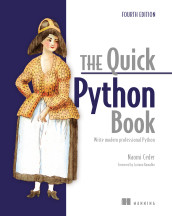
The Quick Python Book, Fourth Edition
Requests is a Python library that provides a high-level interface for making HTTP requests.
- How it is used
- Fetches HTTP/HTTPS files and API data from within Python programs.
- How deep it goes
- Demonstrates GET, response bodies, JSON conversion, URL quoting and a CSV workflow without examining library internals.
- Examples
- Uses an airport temperature file, weather APIs and a Chicago crime-data API.
- What you can do after
- Apply it via requests to retrieve web data, read text or JSON responses, and save processed results.
Read how The Quick Python Book, Fourth Edition explains requests →
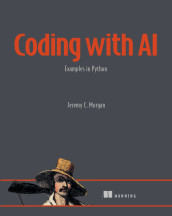
Coding with AI
Requests is a Python library for sending HTTP requests and receiving responses from web services.
- How it is used
- Uses Python’s requests library to structure an API GET task and guide implementation through targeted prompts.
- How deep it goes
- Explains decomposition, prompt design, and iterative evaluation, without detailing the library’s internal implementation.
- Examples
- Demonstrates decomposition and focused prompts for initializing requests, displaying responses, and handling errors.
- What you can do after
- Apply it via Python’s requests library by decomposing an API task and refining prompts for implementation guidance.
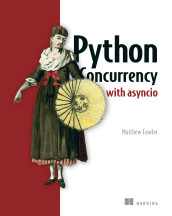
Python Concurrency with asyncio
Requests is a Python library for making HTTP requests synchronously.
- How it is used
- Handles synchronous HTTP requests and adapts existing blocking HTTP work for asyncio applications through threads.
- How deep it goes
- Explains installation, GET requests, status codes, sessions, event-loop blocking, and thread-based integration without detailing thread-pool implementation.
- Examples
- Demonstrates repeated example.com status-code requests and three asyncio tasks that execute blocking calls serially.
- What you can do after
- Apply it to make synchronous HTTP requests and run those calls concurrently through asyncio-managed threads.
Read how Python Concurrency with asyncio explains requests →
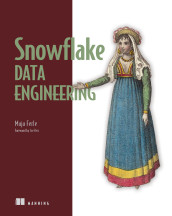
Snowflake Data Engineering
Requests is a Python library for sending HTTP requests and receiving HTTP responses.
- How it is used
- Calls an external API from a Python Snowpark UDF to retrieve customer reviews for pipeline enrichment.
- How deep it goes
- Defines package registration, imports, secret retrieval, URL construction, authentication, request execution, and JSON return, but defers response flattening.
- Examples
- Uses Yelp's reviews endpoint, business aliases, bearer-token authorization, and a GET_CUSTOMER_REVIEWS SQL call.
- What you can do after
- Apply it via requests by registering the package in a Python UDF and returning an authenticated API response as JSON.
Related concepts
- HTTPuses · HTTP is a standardized application-layer protocol that defines request-and-response messages for transferring resource representations between networked systems.
- contractuses · An API contract is a specification of the operations, data, and behavioral expectations that govern interactions between software components.
- scrapingused by · Scraping is the automated or systematic retrieval and extraction of information from digital sources.
- librarykind of · A software library is a reusable collection of code or components that other programs can incorporate or invoke to provide functionality.
- OpenAI APIuses · The OpenAI API is a programming interface that allows software applications to send requests to OpenAI models and services and receive responses.
- web serviceuses · A web service is a programmatic software interface that exposes functionality or data through web technologies or network protocols, typically HTTP.
These guides are generated from the text of Manning books by Manning's knowledge graph and link to the sections they draw on. The full books are available on liveBook and at manning.com.