Resolution describes how densely pixels are packed in an image. More pixels can preserve detail during cropping, but oversized images can slow website loading without looking sharper when displayed at a smaller size. section 8.4
Keep these distinctions in mind when preparing images:
- Pixel density is commonly measured in pixels per square inch (PPI). section 8.4
- File size reflects the image’s dimensions and storage requirements; a 1,920 × 1,080 image contains more than two million pixels. section 8.4
- Cropping a low-resolution image can produce pixelization, with boxy, unfocused, and stair-stepped edges. section 8.4
Choosing a web image size
A full-screen background can use 1,920 × 1,080 pixels at a 16:9 ratio, while a hero image can use 1,280 × 720 pixels. Reduce oversized images before displaying them online. section 8.4
Figure 8.7 When you crop a low-res image, the result can be serious degradation like this pixelization.
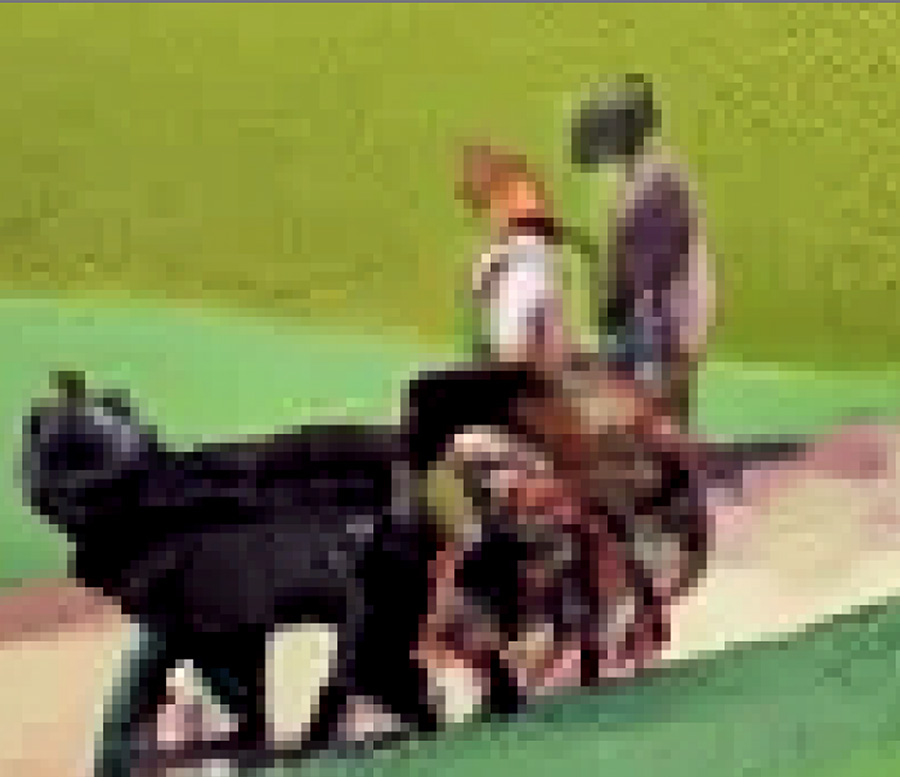
Compare the visible degradation caused by cropping a low-resolution image. section 8.4
Figure 8.8 Change an image’s size and resolution in a module like this one.
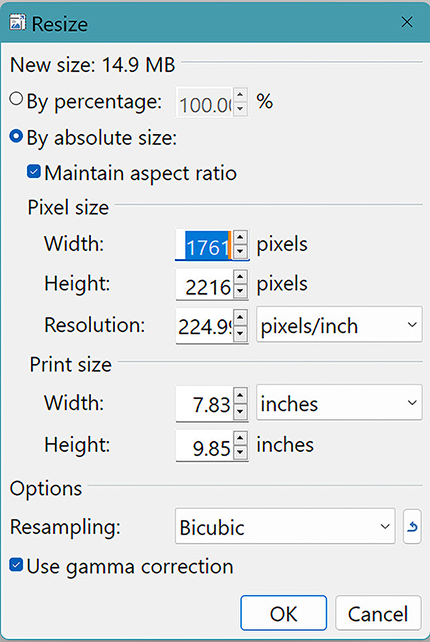
View an image-sizing module for changing dimensions and resolution. section 8.4



