A delimiter is a string or pattern that marks boundaries in text. In chunking, it identifies meaningful breaks before pieces are merged or trimmed to fit a size limit. In prompts, it clearly separates an instruction from the object being processed. section 6.3 section 3.1
Use delimiters to preserve structure and reduce ambiguity:
- Choose a separator that reflects the content’s natural boundaries, such as the whitespace-and-newline pattern before a recipe title. section 6.3
- Let the splitter divide text at each separator, then merge or trim the resulting pieces to meet the chunk-size constraint. section 6.3
- Enclose a prompt object in quotation marks or identify it with an explicit variable such as TEXT. section 3.1
- Reserve delimiter characters for separation; choose an alternative when the enclosed object already contains those characters. section 3.1
Keeping a recipe together
Character-only chunking can split a recipe across two chunks, causing retrieval to return only part of it. A separator consisting of a space, a newline, and three spaces usually creates one chunk per recipe. OCR irregularities may still cause two recipes to share a chunk, so the pattern may need adjustment. section 6.3
Figure 6.7 With the right Separator string, the text is split into meaningful chunks: one per recipe.
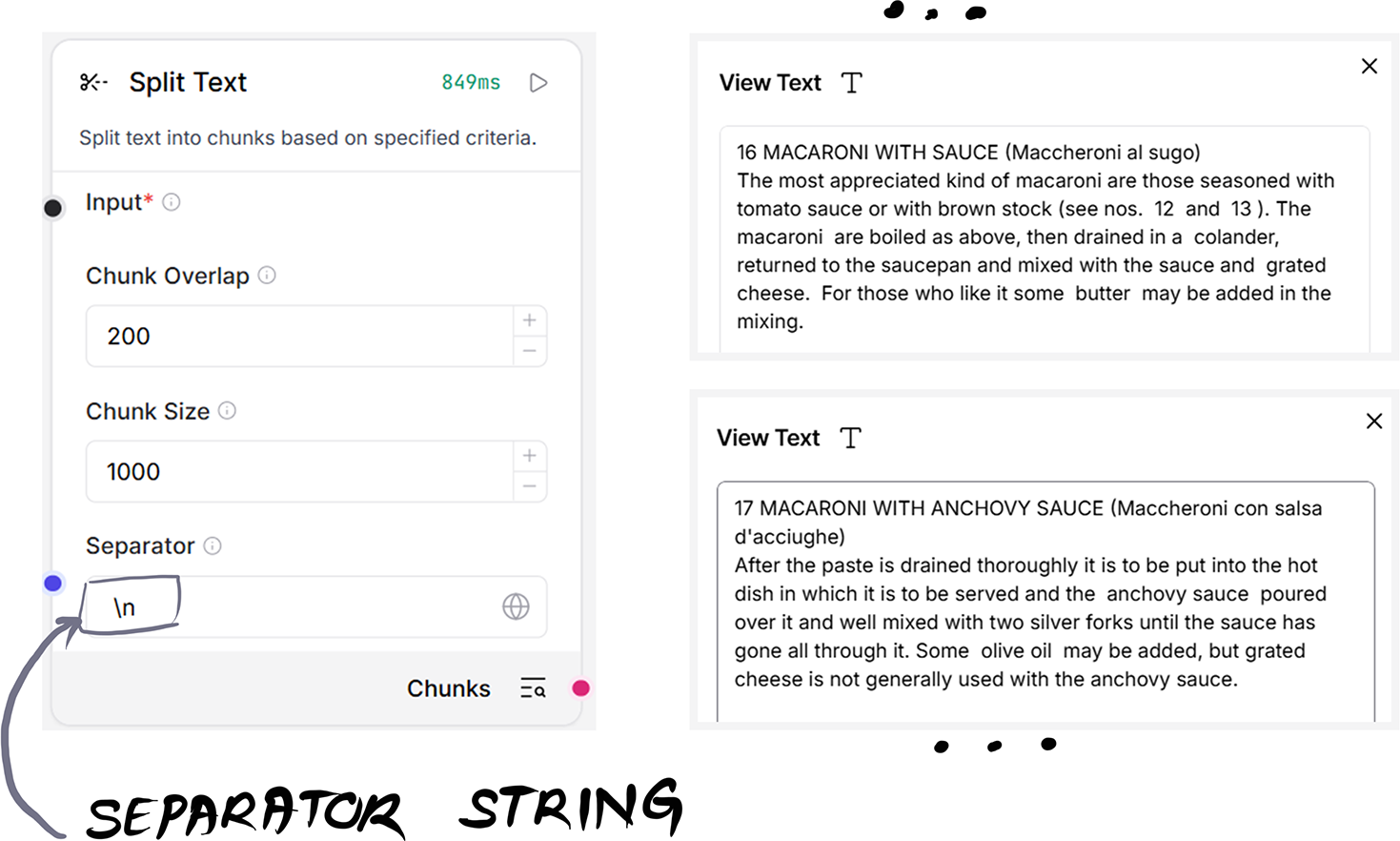
Illustrates how a configured Separator string produces more meaningful, recipe-sized chunks. section 6.3










