SQLite is a popular open-source relational database engine used to persist application data on a device. In a .NET MAUI to-do app, it stores tasks between uses. section 3.3
A practical .NET MAUI implementation combines SQLite with supporting libraries:
- Use SQLite-net through the sqlite-net-pcl NuGet package for mobile-oriented database access. section 3.3
- Represent rows with plain C# classes such as a TodoItem containing an ID, title, due date, and completion state. section 3.3
- Store the database under the app data directory and use asynchronous operations to create tables and retrieve records. section 3.3
- Add SQLCipher for database encryption and SecureStorage for the operating-system-managed encryption key. section 3.3
MauiTodo
A MauiTodo app reads saved to-do items when it starts. When the user enters a title and date, the app creates a TodoItem, saves it to SQLite, and updates the displayed list. section 3.3
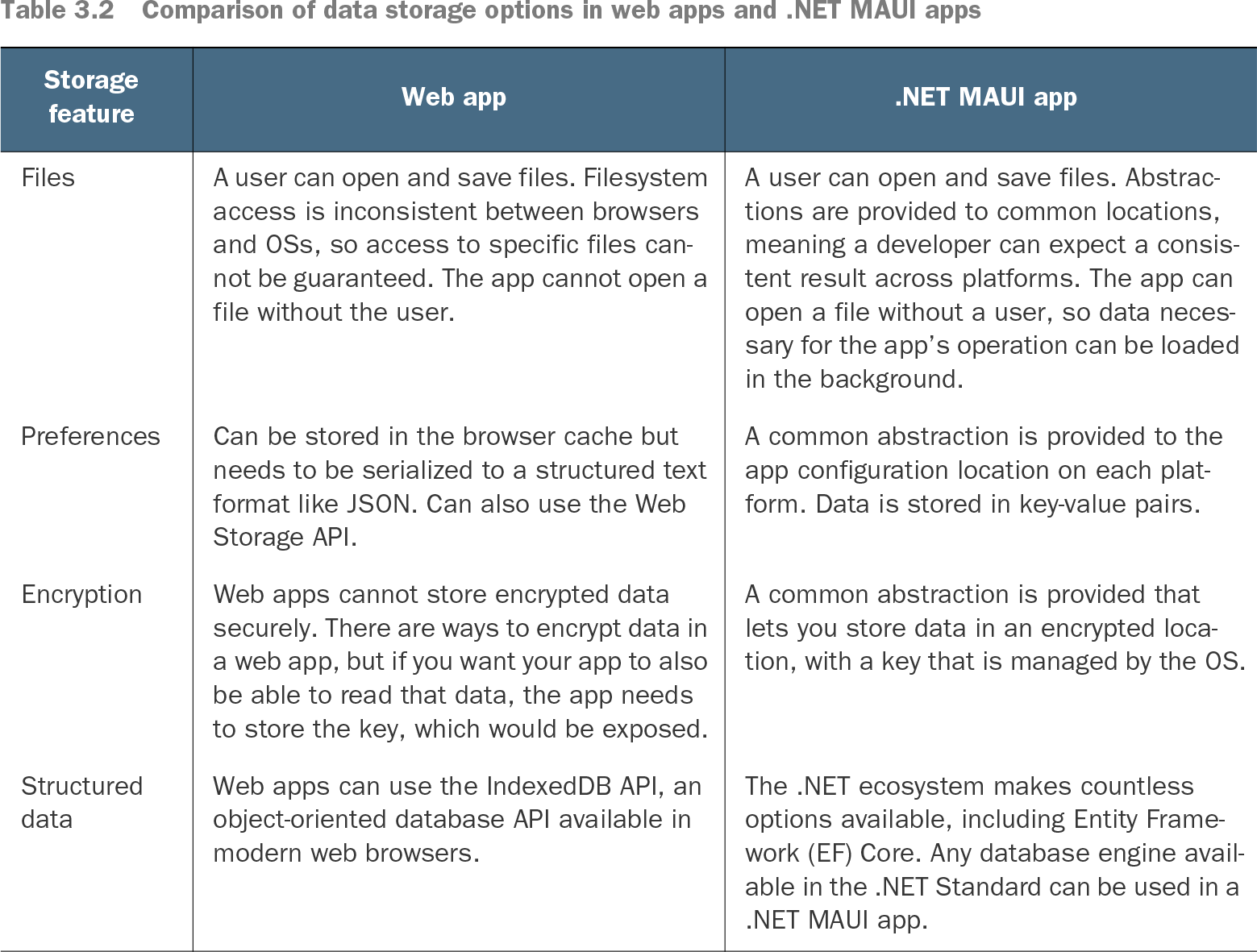
Table 3.2 Comparison of data storage options in web apps and .NET MAUI apps (view table figure)
| Storage feature |
Web app |
.NET MAUI app |
| Files |
A user can open and save files. Filesystem access is inconsistent between browsers and OSs, so access to specific files cannot be guaranteed. The app cannot open a file without the user. |
A user can open and save files. Abstractions are provided to common locations, meaning a developer can expect a consistent result across platforms. The app can open a file without a user, so data necessary for the app’s operation can be loaded in the background. |
| Preferences |
Can be stored in the browser cache but needs to be serialized to a structured text format like JSON. Can also use the Web Storage API. |
A common abstraction is provided to the app configuration location on each platform. Data is stored in key-value pairs. |
| Encryption |
Web apps cannot store encrypted data securely. There are ways to encrypt data in a web app, but if you want your app to also be able to read that data, the app needs to store the key, which would be exposed. |
A common abstraction is provided that lets you store data in an encrypted location, with a key that is managed by the OS. |
| Structured data |
Web apps can use the IndexedDB API, an object-oriented database API available in modern web browsers. |
The .NET ecosystem makes countless options available, including Entity Framework (EF) Core. Any database engine available in the .NET Standard can be used in a .NET MAUI app. |
Compare SQLite with files, preferences, encryption, and other storage choices available to web and .NET MAUI applications. section 3.3