A storage account provides cloud storage for private or public files. Files are uploaded to Azure Storage and accessed through its storage API. section 4.4.1
Use a private account when customers should receive files through an application rather than downloading them directly. A microservice can authenticate with Azure and retrieve stored videos. section 4.4.1
A practical setup uses these steps:
- Create a storage account in the Azure portal. section 4.4.1
- Create a videos container and upload a test video. section 4.4.1
- Configure the account name and access key as environment variables. section 4.4.1
Video-storage microservice
A Node.js service uses @azure/storage-blob, a storage account name, and an access key to authenticate and retrieve a requested video. section 4.4.1
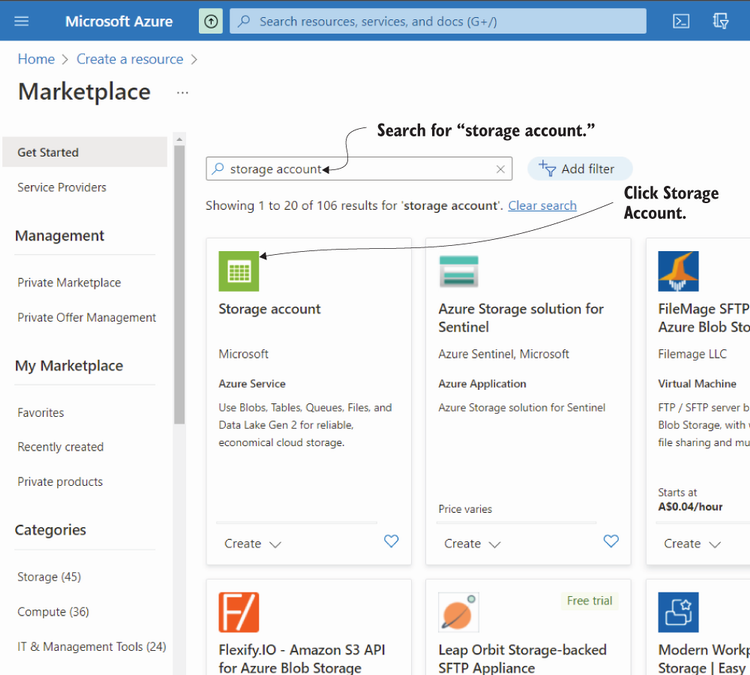
Use the portal walkthrough to create the storage account before configuring containers and uploaded files. section 4.4.1



