A Python string is an immutable sequence of Unicode characters. It is useful for text such as user input, filenames, and file contents. Write a string between single or double quotes; choose the delimiter that avoids escaping quotes inside the text. Triple quotes allow a string to span lines. section 6.9 section 6.0 section 4.6
Strings behave like sequences, but not like editable lists:
- Use an index to obtain a one-character string, or a slice to obtain a substring: for x = "Hello", x[0] is 'H' and x[1:] is 'ello'. There is no separate character type. section 6.1
- Use len(x) for the number of characters, in to test membership, + to combine strings, and * to repeat one. section 6.1 section 3.2.4
- You cannot assign to x[0] or append to a string. Slices and methods produce new values rather than changing the original. section 6.1 section 6.4
Backslash escapes represent characters such as newline (\n), tab (\t), and a literal backslash (\\). An ordinary quoted string cannot cross a source-code line break; use \n or triple quotes instead. At an interactive prompt, evaluating a string displays its escaped representation, while print sends its characters to the terminal. print normally adds a final newline; end="" suppresses it. section 4.6 section 6.3.3
Read without changing the original
x = "Goodbye\n" without_newline = x[:-1] # 'Goodbye'; x still ends in \n text = "Hello, World" parts = list(text) parts[6:] = [] parts.reverse() result = "".join(parts) # ',olleH' Slicing is one way to remove a known final newline, though string methods are better suited to stripping unwanted characters. For character-by-character edits, a list can be changed and joined into a new string; repeated conversions can be costly. section 6.1 section 6.4.6
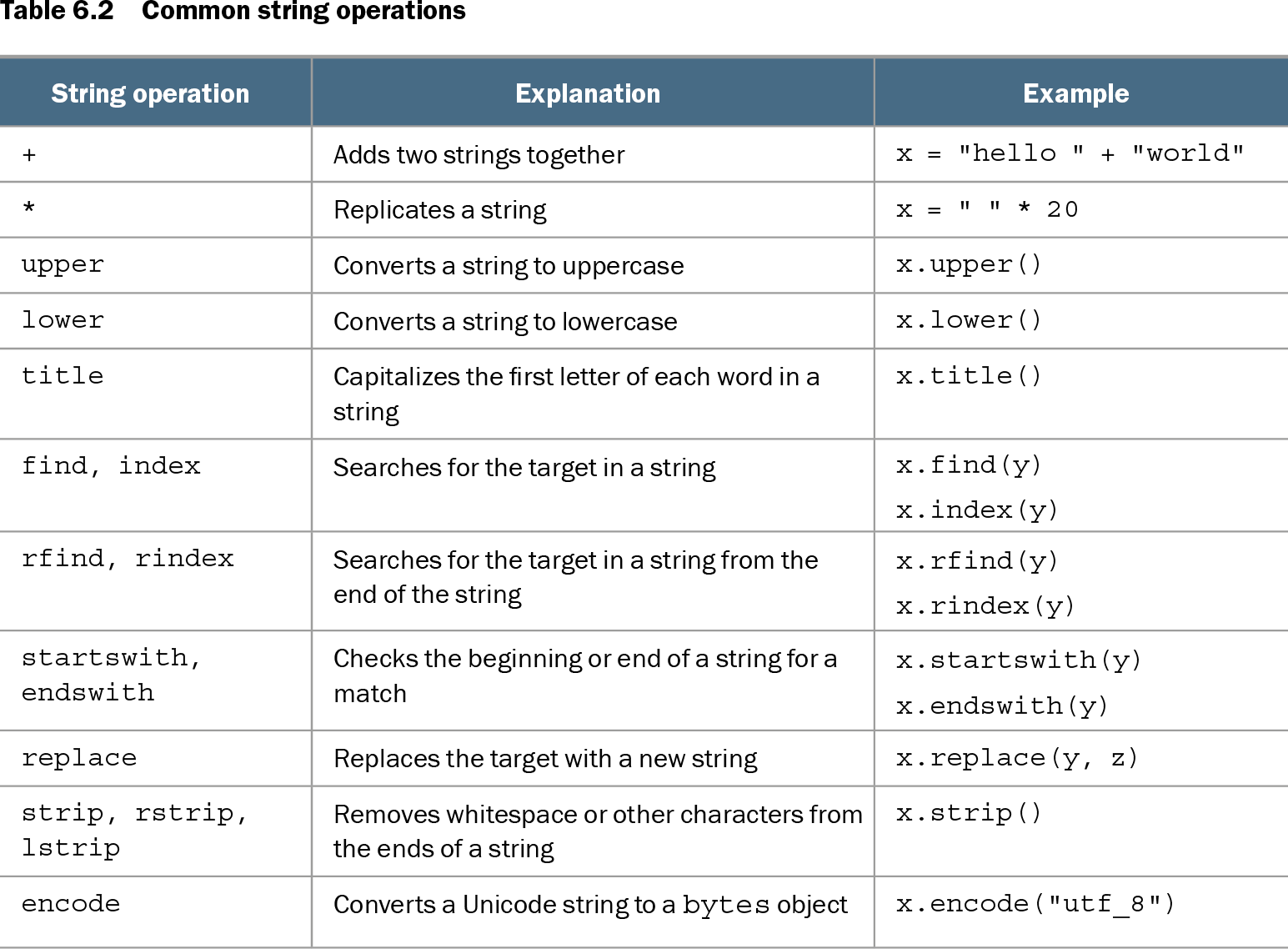
Table 6.2 Common string operations (view table figure)
| String operation |
Explanation |
Example |
|---|---|---|
| + |
Adds two strings together |
x = "hello " + "world" |
| * |
Replicates a string |
x = " " * 20 |
| upper |
Converts a string to uppercase |
x.upper() |
| lower |
Converts a string to lowercase |
x.lower() |
| title |
Capitalizes the first letter of each word in a string |
x.title() |
| find, index |
Searches for the target in a string |
x.find(y) x.index(y) |
| rfind, rindex |
Searches for the target in a string from the end of the string |
x.rfind(y) x.rindex(y) |
| startswith, endswith |
Checks the beginning or end of a string for a match |
x.startswith(y) x.endswith(y) |
| replace |
Replaces the target with a new string |
x.replace(y, z) |
| strip, rstrip, lstrip |
Removes whitespace or other characters from the ends of a string |
x.strip() |
| encode |
Converts a Unicode string to a bytes object |
x.encode("utf_8") |
Compare common operations for case conversion, searching, replacement, trimming, and encoding. Methods that appear to change text return a result; they do not edit the original string. section 6.4.7 section 6.4
For formatted output, f-strings place variable or expression values inside braces; format() and the older % operator are alternatives. A string can be encoded as bytes and decoded back. Bytes may resemble text, but they cannot be concatenated directly with a string. section 6.11 section 3.2.4 section 6.9