A CSS property is a named styling attribute paired with a value, such as color, font-size, or font-weight. Together, these property:value pairs control how an HTML element looks. section 7.3
Use the browser Inspector to explore and adjust properties:
- Right-click a web page and choose Inspect. section 7.3
- Select an HTML element to view its associated CSS rules and properties. section 7.3
- Look for crossed-out properties: a later declaration in the cascade overrides them. section 7.3
- Edit a value in the Styles pane and see the result immediately. section 7.3
A heading rule
A rule can set several properties on h1: color: blue; font-family: sans-serif; font-size: 14em; and font-weight: bold. Each property changes a different aspect of the heading’s presentation. section 7.3
Figure 7.6 Here you can see quite a few details about this web page.
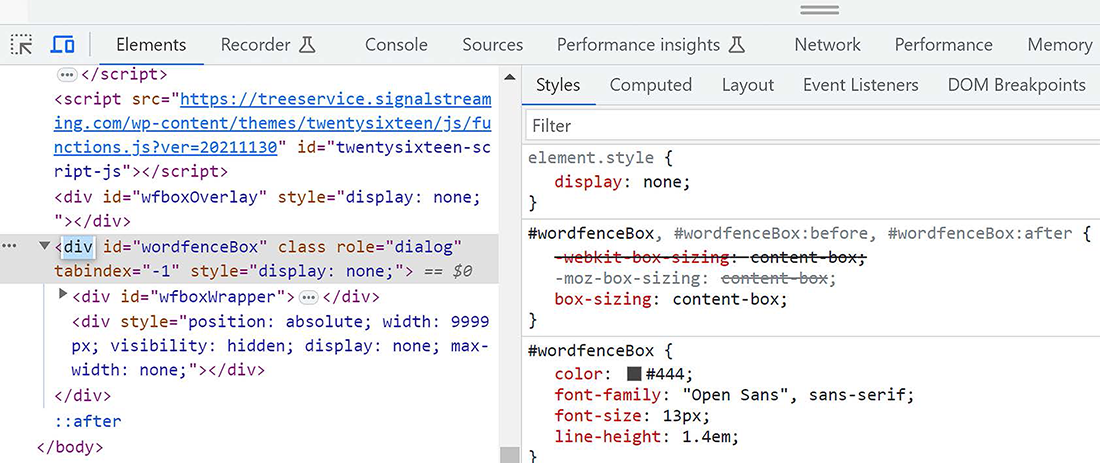
Use the Inspector figure to identify the HTML pane, Styles pane, selected element, and overridden properties. section 7.3



