Alignment positions elements along shared edges, centers, axes, or invisible lines. It establishes structure, creates relationships between items, and gives a page a more orderly, readable feeling. section 2.1.2 section 2.3
On the web, alignment is both a design decision and a layout concern. CSS Grid and Flexbox provide structural blueprints, but the principle guides how groups of content should relate rather than merely where a single element lands. section 2.1.2
Use alignment to make content feel like a coherent unit:
- Choose a shared edge—left, right, top, or bottom—when elements should visibly belong together. section 2.1.2
- Use vertical or horizontal center axes deliberately when centered content supports the intended structure. section 2.1.2
- Consider text alignment alongside the bounding boxes of components; mixed alignment can make an otherwise aligned component feel less cohesive. section 2.1.2
- Combine alignment with proximity, repetition, contrast, and balance to build visual hierarchy and help users scan relationships among content. section 2.1 section 2.3
Make a card collection feel orderly
A set of hotel cards can share a top edge yet still feel disjointed when hotel names are centered. Left-aligning each card’s content and placing the name below its image makes each component read more like a rectangle and creates a stronger sense of order. section 2.1.2
Figure 2.18 The bounding boxes of content are outlined to show that while elements can be aligned in one way, all our <div> elements—for example, mixing text alignment within those <div> elements—can have a noticeable effect on how cohesive a component feels.
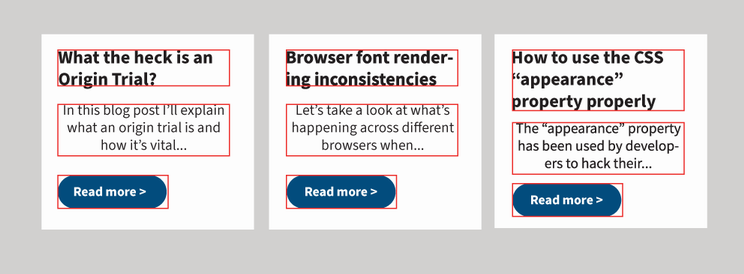
Compare component bounding boxes with their internal text alignment to see why local alignment choices affect the cohesion of the whole component. section 2.1.2
Figure 2.24 Aligning all the content to the left and moving the hotel name below the image gives the illusion that each component is a rectangle and establishes a more orderly feeling on the page.
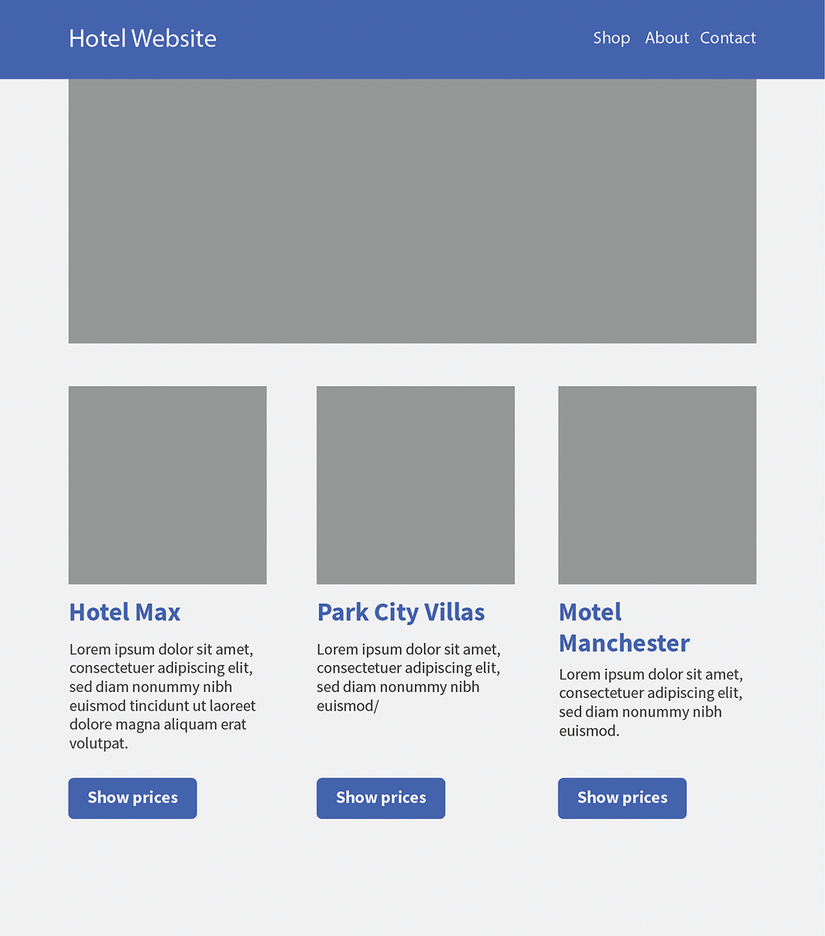
Use the card comparison to inspect how a shared left edge and consistent content placement establish an orderly component layout. section 2.1.2