A bitmap is a two-dimensional array of colors: each individually addressable pixel stores one color. Enlarging it directly produces visible colored squares, so practical upscaling usually estimates continuous values between neighboring pixels. section 8.3.3
Bitmap processing connects discrete pixel storage with continuous geometry:
- Localized interpolation colors each pixel from its four neighbors, preventing distant pixels from influencing unrelated regions. section 8.3.3
- A pixel can be modeled as a piecewise-constant function, then converted into a smooth function by inverse-weight interpolation at pixel centers. section 12.4.5
- A smooth bitmap function can support a signed threshold contour, which is refined into a curved boundary for image vectorization. section 12.4.5
Upscaling a cat’s eye
A cropped cat’s eye illustrates the difference between direct enlargement and interpolation. Direct enlargement preserves square pixel blocks; localized inverse-distance interpolation produces a smoother image while keeping sharp local features from spreading across the bitmap. section 8.3.3
From pixels to a smooth contour
A 16×16 grayscale image is represented as a Python array. Pixel values become a discontinuous function, smoothing supplies continuous values, and a threshold creates a quasi-signed distance function. Border segments are then fitted iteratively and replaced with cubic curves. section 12.4.5
Figure 8.22 An upscale of a cat’s eye. (The cat is cropped from original work by Von.grzanka, CC BY-SA 3.0, via Wikimedia Commons.)
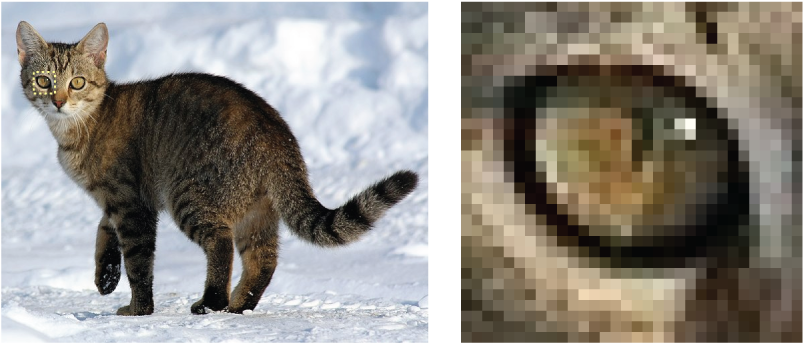
Compare blocky bitmap enlargement with a smoother interpolated result in the cat-eye visualization. section 8.3.3

