Brightness describes how light or dark a color appears: adding white makes it lighter, while adding black makes it darker. In interface design, this choice affects emphasis, readability, and visual hierarchy. section 9.1.3 section 9.9
Use brightness deliberately when building a color system:
- Adjust lightness alongside saturation to create shades and tints from a base hue. section 9.7.3
- Use lighter or darker values to establish emphasis without introducing many unrelated colors. section 9.5
- Check text contrast rather than relying on brightness alone; add icons or labels when color conveys information. section 9.9
- Remember that equal lightness settings can look unequal across hues, especially when using HSL. section 9.7.4
Building a travel landing-page palette
Start with a violet-blue base color, then reduce saturation for supporting colors and increase brightness for a light tone suitable for text overlays. Use the most vibrant color for the headline, search button, and checked checkboxes; reserve lighter gray values for quieter interface elements. section 9.5
Figure 9.6 Hue is a color, saturation is how vibrant a color is, and lightness or brightness affects how light or dark a color is.
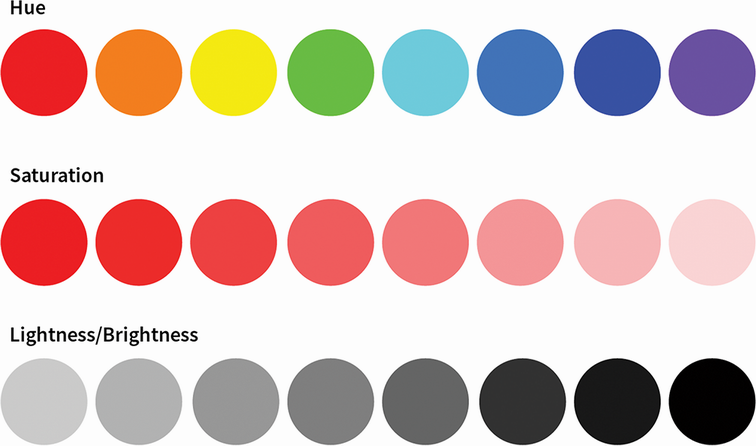
Compare hue, saturation, and brightness or lightness visually before adjusting a palette. section 9.1.3






