Brightness describes the perceived lightness of a color. In a color picker, users adjust it by dragging vertically while adjusting saturation horizontally. section 11.1
A brightness control typically works as a two-dimensional coordinate picker:
- The horizontal x-axis controls saturation, or color intensity. section 11.1
- The vertical y-axis controls brightness. section 11.2
- Dragging in both directions selects a combined saturation-and-brightness value. section 11.1
A red-background coordinate picker
A coordinate picker can use a red background with a white-to-transparent horizontal overlay and a transparent-to-black vertical overlay. Moving the thumbnail vertically changes brightness, while horizontal movement changes saturation. section 11.2
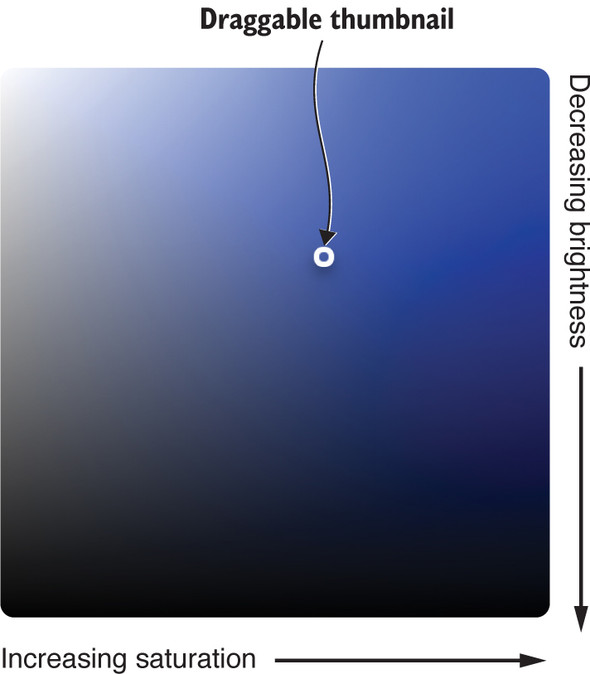
Use the saturation-and-brightness picker figure to see the two-axis interaction that combines horizontal saturation with vertical brightness. section 11.1