A backup is a preserved copy of data or system configurations, stored separately so they can be recovered after loss, corruption, or system failure. section 7.2
Backups support disaster recovery by helping restore systems and data to a last known good state. Shorter intervals between backups reduce the risk of losing new or changed data. section 7.2
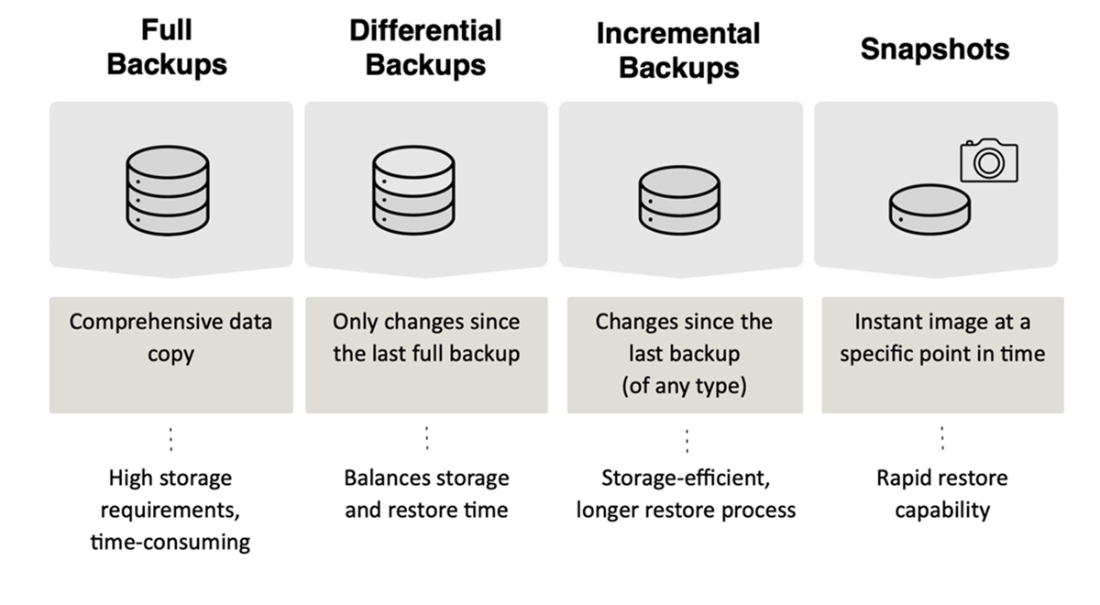
Common backup approaches make different tradeoffs between storage needs and recovery:
- Full backups copy all data, requiring more storage space and time. section 7.2
- Differential backups copy data changed since the last full backup, balancing storage efficiency and recovery speed. section 7.2
- Incremental backups copy data changed since the last backup; recovery may take longer because multiple sets must be applied in sequence. section 7.2
- A snapshot captures a system or data state at a specific point in time. section 7.2
Figure 7.1 Summary of data recovery strategies with main use case and characteristics
Compare the backup methods and their main use cases. section 7.2