CPU caches sit between processor registers and main memory. A cache hit lets the processor use data without waiting for slower RAM; a miss can leave it idle while data is fetched. Cache capacity is limited, so the speed of a computation depends not just on its arithmetic but on which data it accesses and in what order. section 6.1.2
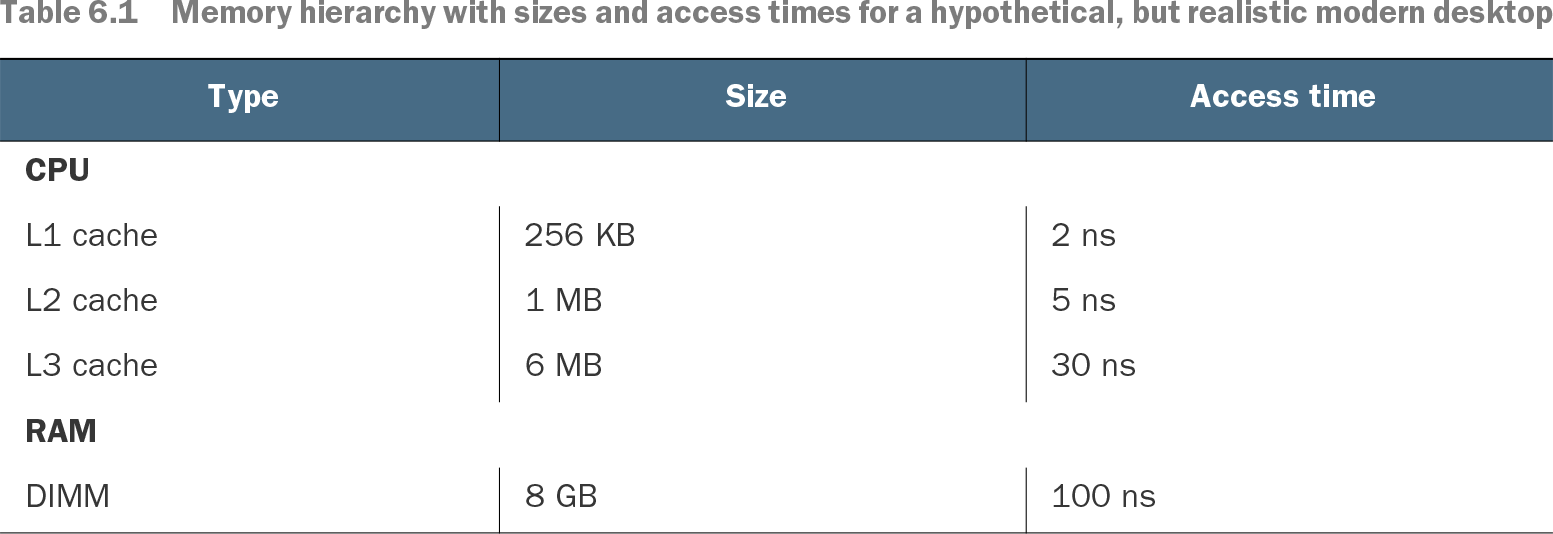
Table 6.1 Memory hierarchy with sizes and access times for a hypothetical, but realistic modern desktop (view table figure)
Compare the illustrative capacities and access times of L1, L2, and L3 caches with RAM. The orders of magnitude matter more than the particular machine's numbers. section 6.1.2
Measure a NumPy access pattern
Create a square NumPy array, then time `2 * mat[:, 0]` and `2 * mat[0, :]` as its size grows. In one 10,000-by-10,000 test, doubling a column took 4.51 µs versus 74.9 µs for a row. The result is not a rule that columns are faster: the array's internal representation and the relationship between cache and main memory determine the difference. section 6.1.1 section 6.1.2
Accessing one matrix element can bring nearby elements into cache. Operations on contiguous elements may therefore reuse one memory transfer, while operations on separated elements may require a transfer for each access. Small arrays can conceal this cost; large arrays can make it dominant. Whether rows or columns are contiguous depends on the matrix representation. section 6.1.2
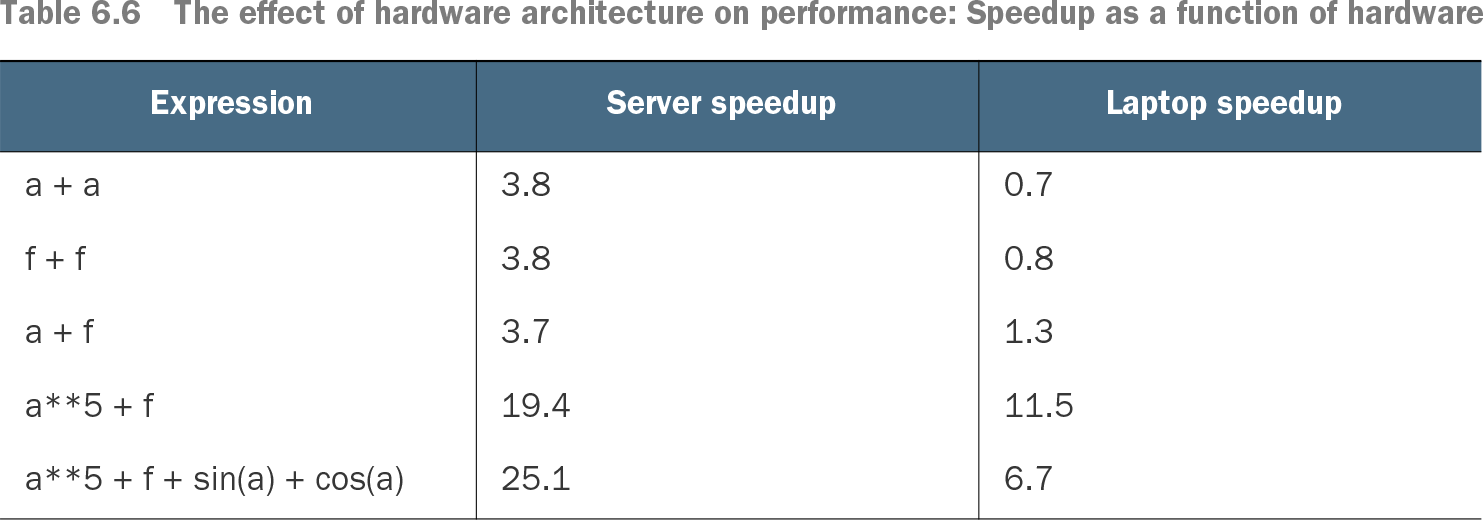
This also explains why extra computation is not always slower. A compressed block that fits in cache can sometimes be processed faster than raw data that repeatedly waits on RAM, even after accounting for decompression. Measure such gains on the intended machine: other processes can compete for cache, and NumExpr speedups observed on a server may shrink or disappear on a busy laptop. section 1.2.1 section 6.3.2
Table 6.6 The effect of hardware architecture on performance: Speedup as a function of hardware (view table figure)
The same NumExpr expressions show different speedups on a server and a laptop, illustrating why cache-sensitive optimizations need testing on the target hardware. section 6.3.2