Hue is the pure color or base-color quality before white, black, or gray is added. Red, blue, and violet-blue can each serve as a base hue; adding white creates tints, black creates shades, and gray creates tones. section 9.1.3
Hue is one part of a color choice, not the whole choice. Saturation controls vividness, while lightness controls how light or dark the result appears. Balancing these properties prevents interfaces from becoming visually overwhelming and helps reserve vivid color for meaningful contrast. section 9.1.3
Use hue deliberately when building an interface:
- Choose a base hue, then vary saturation and lightness to create related palette colors. section 9.7.3
- Use the strongest version of the hue for attention-worthy elements such as a primary headline, main call to action, or checked control. section 9.5
- Test text contrast and supplement color with labels or icons rather than making hue the only carrier of information. section 9.9
A violet-blue landing page palette
Start with violet-blue as the primary hue. Lower its saturation to make supporting colors, retain a lighter version for a text-overlay background, and use the most vibrant version on the headline and search button. Keep secondary elements quieter so the main action remains clear. section 9.5
Figure 9.6 Hue is a color, saturation is how vibrant a color is, and lightness or brightness affects how light or dark a color is.
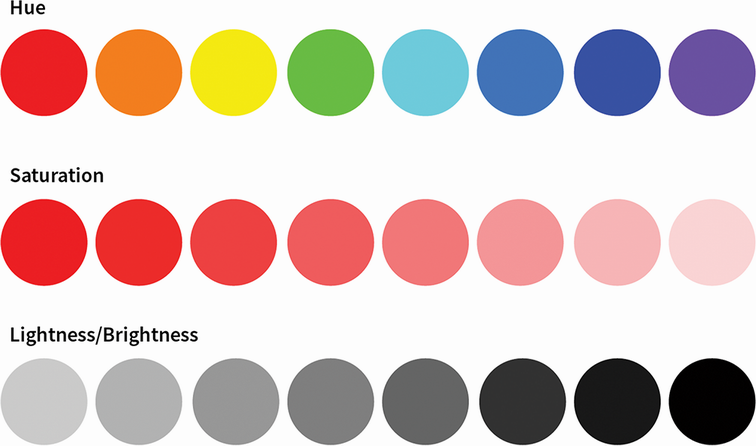
Use the visual comparison to separate hue itself from saturation and lightness before adjusting a palette. section 9.1.3





